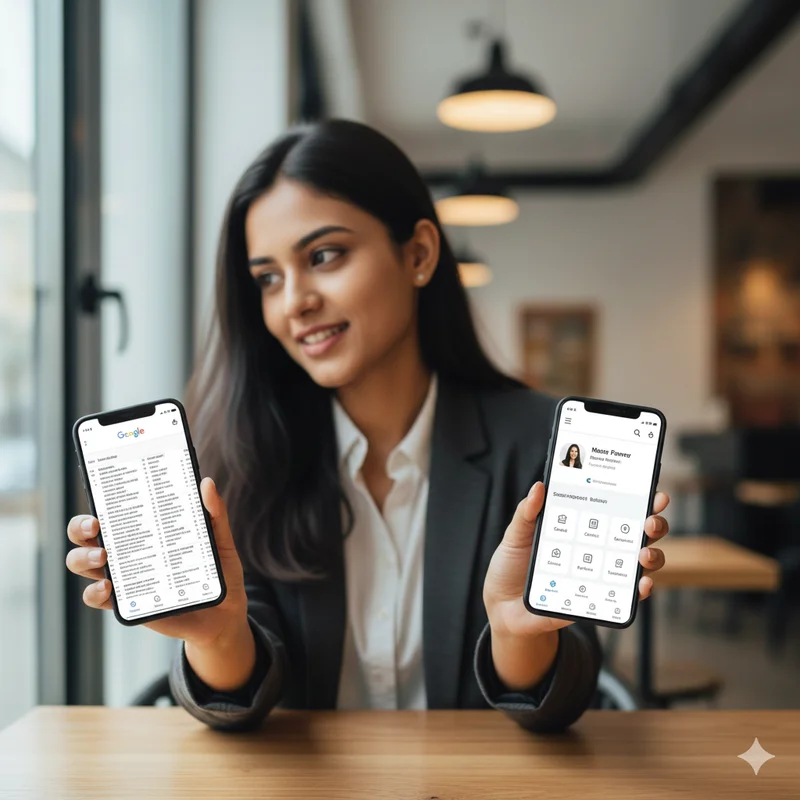
Many small and growing businesses rely on Google Docs to share their business information. It feels convenient at first. You can type details quickly, update them anytime, and share a link on WhatsApp or email. Because of this ease, Google Docs has become a common choice for sharing price lists, service details, catalogs, and contact information.
However, convenience does not always mean effectiveness.
As customer behavior has changed, expectations have also evolved. Today, people want information to be fast, clean, and easy to understand. They want clarity without effort. This is where digital cards clearly outperform Google Docs when it comes to sharing business information.
How Customers Actually Consume Business Information
Most customers do not want to read. They want to scan.
When someone opens business information, they spend only a few seconds deciding whether to continue or close it. If the layout feels messy, text-heavy, or confusing, interest drops immediately.
Google Docs are designed for collaboration and editing, not for customer presentation. Digital cards, on the other hand, are built specifically for viewing, understanding, and trusting business information.
This difference in purpose changes everything.
First Impressions Matter More Than We Realize
The first few seconds shape perception.
When a customer opens a Google Doc, they often see a plain white page filled with text. It feels informal, unfinished, and sometimes temporary. This creates uncertainty.
A digital card feels intentional. It looks like something created for customers, not for internal notes. This professional appearance builds trust instantly.
For first-time buyers, this first impression often decides whether they engage further.
Importance of Perception with Google Docs & Digital Cards
Google Docs feel like drafts, notes or internal documentation and even by having accurate content, the format gives the reader a sense that the information is not finished or polished.
This uncertainty may cause the reader to question whether the information contained in the document is still current and/or if information is going to change. This lack of confidence will weaken confidence in you and your business.
Digital cards feel permanent and meaningful. The business has taken time to structure its information in an organized fashion, instilling a feeling of stability.
Rapid for Comprehension of Business Information
Business Information should be simple, straightforward and taken with little to no effort.
Typically, Google Docs present information in paragraphs, tables and lists that require scrolling and reading, thus slowing down the decision process.
Digital cards present business information in a structured, visually attractive layout, making it easy to comprehend.
The result is a faster choice made for you and a faster decision for the prospective customer.
Mobile Experience Is Better With Digital Cards
Most customers in India access business information on their phones.
Google Docs on mobile often require zooming, scrolling, and adjusting. This creates friction, especially for older users or busy customers.
Digital cards are mobile-first. They are designed to open cleanly on any phone and display information in a readable format.
A smoother mobile experience leads to better engagement.
Google Docs Create Cognitive Overload
Too much text overwhelms customers.
When people see long descriptions, price lists, or explanations in a document, they feel mentally tired. Instead of asking questions, they simply stop responding.
Digital cards reduce cognitive load. Information is broken into digestible sections that feel lighter and easier to absorb.
This calm experience builds confidence instead of stress.
Digital Cards Look More Professional and Trustworthy
Trust is built through presentation.
Even if the information is the same, how it is presented changes how it is perceived. A digital card signals professionalism, planning, and seriousness.
Google Docs do not convey brand identity. They feel generic.
Digital cards feel like a business asset, not a shared file.
Sharing Feels More Natural With Digital Cards
Sharing a Google Doc often feels awkward. Customers may worry about editing access, download permissions, or accidentally changing content.
Digital cards remove this friction. One tap opens the information, no confusion involved.
This ease makes customers more comfortable engaging with the business.
Digital Cards Reduce Back-and-Forth Conversations
Many questions customers ask are not because they are curious, but because information was unclear.
Google Docs often require explanation. Customers ask where to look, what applies to them, or which section matters.
Digital cards guide the customer naturally. Information flows in a way that reduces the need for clarification.
This saves time for both sides.
Better Way to Send Referrals and Forwards
A person sending a referral is usually trying to share something they believe their friend or colleague will find valuable.
Sending a Google Doc can be perceived as unprofessional and often makes the person receiving the referral less likely to open it.
Digital business cards feel much more professional and trustworthy when being forwarded to others. This increases the likelihood that someone will use a referral, and leads to more people seeing your referral.
Digital Business Cards Give Customers the Ability to Validate In Silence
Today's customers are generally looking to do their own research on products and services before reaching out.
A Google Doc may make someone feel pressured to read it instantly and interrupt their day-to-day activities.
Digital business cards allow for silent browsing of information. When customers can browse without interruption or being judged by someone else, they have more comfort and trust in your brand.
Consistency in Branding Increases Brand Recall
The more often a customer is exposed to your brand, the more familiar they become with you.
Digital cards all have the same look and feel every time someone opens one. When you are consistent in your branding, customers will better remember who you are.
A Google Doc's branding is not recognizable, and therefore does not create the same level of brand recall as a digital card.
Google Docs Can Be Easily Overlooked
Every day, people receive dozens of links to Google Docs. As a result, most people will overlook or wait to open them. Therefore, information about a business can easily get lost within their chat history.
Digital business cards are different from Google Docs because they are recognizable, unique, and have a specific purpose. This means the likelihood of someone opening a digital business card is much higher than that of opening a Google Doc.
Digital Cards Reduce Decision Fatigue
Customers want to decide quickly.
When information is heavy and unstructured, decision fatigue sets in. Customers delay or drop off.
Digital cards simplify choices. Simplicity leads to action.
Better Long-Term Business Image
Using digital cards consistently improves how your business is perceived over time.
Customers see you as organized, modern, and reliable.
Relying on Google Docs keeps your business looking temporary and informal.
Conclusion
Google Docs are excellent for internal work, collaboration, and drafting information. But they were never designed to represent a business to customers.
Digital cards work better because they are built for clarity, presentation, trust, and ease of use. They respect the customer’s time, reduce confusion, and improve decision-making.
For businesses in India that want to look professional, trustworthy, and customer-friendly, digital cards are a far more effective choice than Google Docs for sharing business information.
FAQs
Are Google Docs bad for sharing business info?
They are not bad, but they are not ideal for customer-facing use.
Why do customers prefer digital cards?
They are easier to view, understand, and trust.
Do digital cards work better on mobile?
Yes, they are designed for mobile viewing.
Can digital cards reduce customer questions?
Yes, clarity reduces repeated queries.
Are digital cards suitable for small businesses?
Yes, especially for small and local businesses.
Can digital cards replace Google Docs completely?
For customer-facing information, yes.