Introduction
You’ve probably heard that verifying your business on Google Business Profile (formerly Google My Business) is an important step—but why? For many small and micro businesses, skipping verification means missing out on visibility, trust, and leads.
Think of verification as putting an official nameplate on your digital storefront. Without it, you risk being overlooked by customers, outranked by competitors, and even misrepresented online.
In this article, we’ll explore why verifying your business is so crucial, what happens if you don’t, and how platforms like LocalShouts (https://www.localshouts.com) can further strengthen your online presence.
What Does Business Verification Mean?
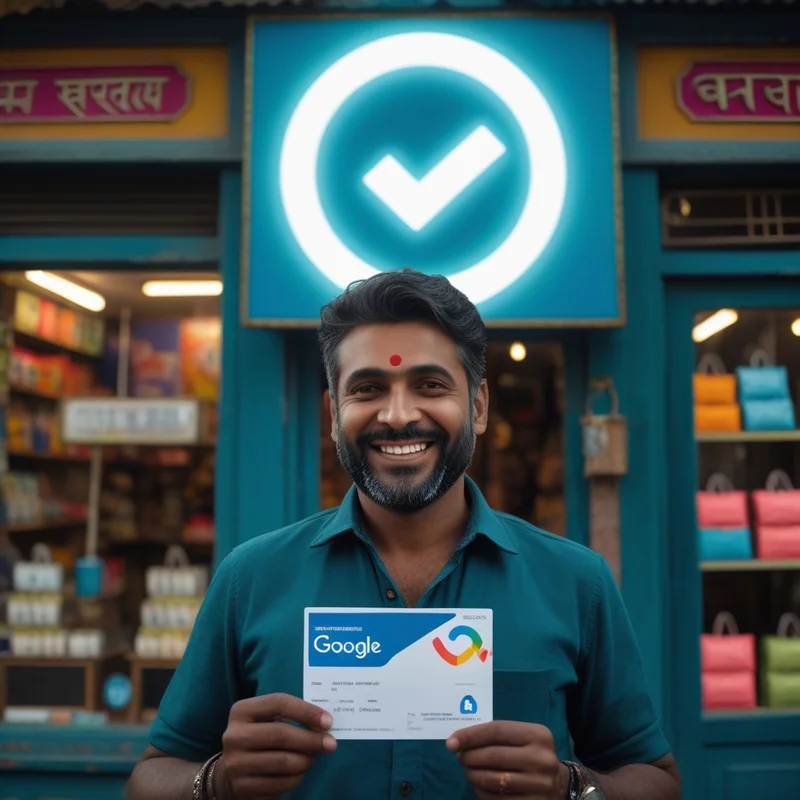
Verification is the process of proving to Google that you are the rightful owner or manager of a business. Google uses this step to:
- Confirm that your business exists at the address provided.
- Prevent spam and fake listings.
- Protect customers from misinformation.
Verification typically involves:
- Receiving a postcard with a code
- Phone call verification
- Email verification
- Video or live video call verification (for some businesses)
Once verified, you gain full access to manage and optimize your Google Business Profile.
Why Business Verification Is Crucial
Build Customer Trust
- When customers see a verified profile, they know they’re dealing with a legitimate business. An unverified or incomplete listing can look suspicious and discourage potential buyers.
Appear in Google Search and Maps
- Without verification, your business may not appear in Google Maps or local search results. Even if it does, you won’t have control over how it appears.
Control Your Online Information
Verification lets you edit crucial details like
- Business name
- Address
- Phone number
- Hours
- Website link
- Services and products
This prevents wrong information from confusing or driving away customers.
Unlock Key Features
Verified profiles can:
- Respond to reviews.
- Add photos and videos.
- Post updates and offers.
- View Google Business Insights (analytics).
- Enable messaging for direct customer contact.
Improve Local SEO Ranking:
- Google trusts verified businesses more, giving them a better chance to appear in the coveted Google 3-Pack (the top three map results).
Protect Your Brand
- Verification ensures no one else can falsely claim your business or make unauthorized changes to your profile.
What Happens If You Don’t Verify Your Business?
- You miss out on being shown prominently on Google Maps.
- Your profile may contain outdated or incorrect details you can’t change.
- Competitors with verified listings will outrank you.
- Customers may go to another business simply because they trust it more.
In short, not verifying leaves you invisible and vulnerable online.
Step-by-Step Guide to Verify Your Business
Step 1: Create or Claim Your Profile
Go to Google Business Profile and search for your business. If it already exists, click “Claim this business.”
Step 2: Choose Verification Method
Select the method available for your business:
- Postcard: Google mails a code to your address (most common).
- Phone: Automated call or text message with a code.
- Email: A verification link was sent to your official email address.
- Video Verification: Record a short video showing your workplace, signage, and proof of operations.
- Live Video Call: Show a Google support representative your workplace in real time.
Step 3: Enter the Code
Once you receive the code, log in to your profile and enter it to complete verification.
Tips for a Smooth Verification Process
- Double-check your address before requesting a postcard.
- Ensure your business name matches your real-world signage.
- Keep your phone and email accessible in case Google contacts you.
- Respond promptly—verification codes often expire after a few days or weeks.
Best Practices After Verification
Verification is just the first step. To get the most from your profile:
Complete Your Profile 100%
Fill in every field—description, categories, attributes, hours, and services.
Add High-Quality Photos
Showcase your storefront, products, and team to build trust.
Post Weekly Updates
Share offers, events, or new product announcements to stay active.
Collect and Respond to Reviews:
- Reviews not only improve rankings but also influence customer decisions. Keep Your NAP Details Consistent
Ensure your name, address, and phone number match across your website, LocalShouts (https://www.localshouts.com), and other directories.
How LocalShouts Strengthens Your Verified Presence
Verifying your business is powerful, but you can go a step further by listing your business on LocalShouts. This gives you:
- An additional verified presence on a trusted local directory
- Better search visibility and local citations
- Another place to showcase reviews, photos, and offers
- Consistency across platforms that boosts your local SEO
When used together, Google verification and LocalShouts listings create a robust digital footprint that customers and search engines trust.
Case Study: A Boutique in Gurgaon
A boutique in Gurgaon was struggling to attract foot traffic. Their profile was unverified, so it wasn’t showing up in Maps reliably.
After verification:
- Their profile began appearing for “women’s boutique near me” searches.
- They started posting weekly updates about new arrivals.
- Within three months, calls from Google Maps increased by 45%, and foot traffic improved significantly.
Conclusion
Verifying your business isn’t just a technical step—it’s a critical part of your local marketing strategy. It proves to Google and customers that you are legitimate, ensures your information is accurate, and gives you access to powerful features that boost visibility.
When combined with directory listings on LocalShouts, you create a strong, trustworthy online presence that helps you win customers and compete with bigger brands.
If you haven’t verified your business yet, do it today. It’s quick, free, and one of the best things you can do for your business growth.
FAQs
How long does verification take?
- Postcards usually take 5–14 days to arrive. Phone, email, or video verification can be instant.
What if my postcard doesn’t arrive?
- Request a new one after waiting 14 days. Make sure your address is accurate.
Can I manage my profile without verification?
- You can create a profile, but you won’t have full control until it’s verified.
Do I need a physical store to verify?
- No, service-area businesses can verify by specifying the areas they serve.
Can I change my address after verification?
- Yes, but Google may require you to re-verify to confirm the new location.
Is verification free?
- Yes, Google does not charge for business verification.