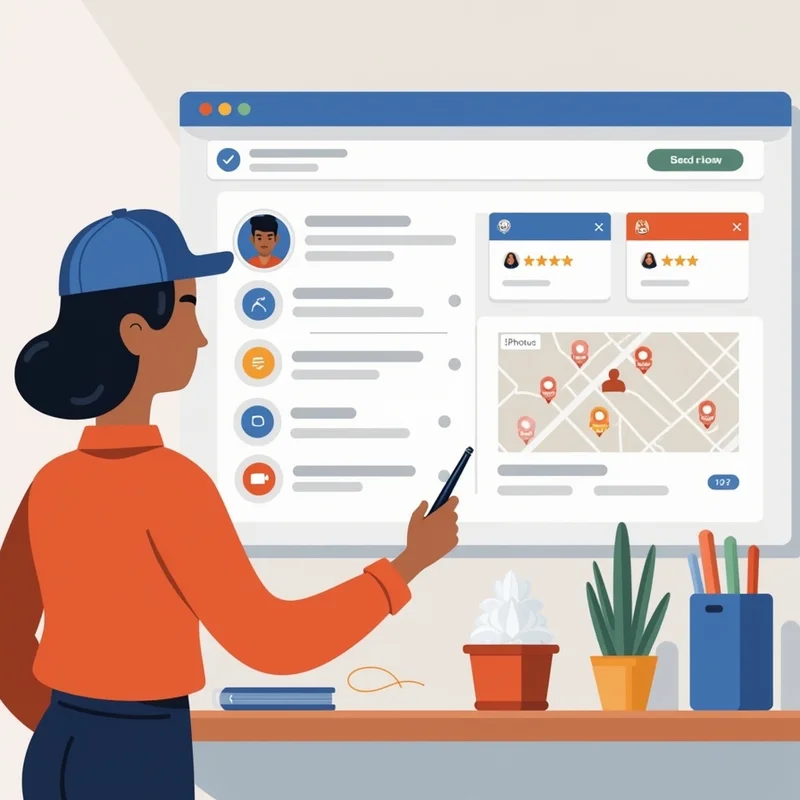
For small and micro businesses in India, visibility on Google Maps can make a substantial difference in attracting local customers. Whether it’s a boutique in Delhi, a café in Pune, or a service shop in Gurgaon, the placement and accuracy of Google Maps pins play a crucial role in guiding customers to your physical location.
Google Maps pins are not just markers on a map—they serve as signals to search engines and users about your business location, relevance, and trustworthiness. Optimizing these pins ensures that your business is easy to find, drives traffic, and builds credibility.
The Role of Google Maps Pins in Local Search
Direct Navigation for Customers
- When customers search for businesses “near me,” Google Maps pins provide directions directly to your location. Accurate pins reduce frustration and make it easy for customers to reach you.
Influence on Click-Throughs
- Map pins often appear in Google local packs—the top three results for local queries. A visible and accurate pin increases the likelihood of clicks to your website, calls, or visits.
Local Relevance for SEO
- Google considers pin accuracy, proximity to searchers, and verified business details when ranking local listings. Incorrect pins can negatively impact local SEO performance.
How Pin Accuracy Impacts Traffic
Correct Pins Boost Footfall
- If a café in Baner is correctly pinned, customers can easily locate it, increasing in-store visits and repeat business. Incorrect PINs can lead to lost customers, negative reviews, and decreased revenue.
Enhances Customer Trust
- A precise PIN reassures customers that your business is legitimate and reliable. Confusion caused by misplaced pins can create a perception of unprofessionalism.
Improves Conversion Rates
- Accurate pins paired with updated business information—address, hours, contact details—help turn online searches into actual visits, calls, or purchases.
Common PIN-Related Problems for Small Businesses
Incorrect Location Marking
- Signs placed on the wrong street or building can mislead customers.
Duplicate Listings
- Multiple pins for the same business can split traffic and reviews, reducing overall visibility.
Outdated Information
- Changes in address, store layout, or nearby landmarks without updating the pin can confuse customers.
Lack of Verification
- Unverified listings are more prone to errors and may not appear prominently in search results.
Strategies to Optimize Google Maps Pins
Verify Your Business
- Claim your Google Business listing and verify it. Verified listings have greater authority and ensure your pin is displayed correctly.
Ensure Accurate Address and Coordinates
- Double-check that the pin reflects the exact entrance of your business, not a neighboring building or street.
Avoid Duplicate Listings
- Remove any duplicate pins that may confuse search engines and customers.
Use Google Maps Updates
- Regularly update your listing with any changes in address, hours, or landmarks to maintain pin accuracy.
Integrate with Local Content
- Include location-specific content on your website and Google Business posts to reinforce the pin’s relevance.
Monitor with tools like LocalShouts.
- Platforms like LocalShouts (https://www.localshouts.com) help businesses track pin accuracy, verify listings, and identify errors quickly.
Additional Tips for Maximizing Traffic Through Pins
- Encourage Reviews: Positive reviews linked to a correctly pinned location increase trust and improve rankings in local search.
- Use Photos: Include images of the storefront, interiors, and surrounding area to help customers recognize the location.
- Highlight Nearby Landmarks: Mention landmarks on your listing and location page to make finding the business easier.
Benefits of Optimized Google Maps Pins
- Increased Foot Traffic: Accurate pins guide customers efficiently, boosting in-store visits.
- Better Local SEO Performance: Google rewards accurate, verified listings with higher visibility in local searches.
- Enhanced Customer Experience: Clear and accurate pins reduce frustration, increasing satisfaction and loyalty.
- Higher Marketing ROI: Paid ads and promotions convert better when customers can locate the business easily.
Conclusion
Google Maps pins are a critical element for small and micro businesses in India to attract and retain local customers. Accurate and optimized pins improve visibility, drive foot traffic, enhance trust, and strengthen local SEO performance.
By verifying your listing, keeping your address and coordinates up to date, avoiding duplicates, and using platforms like LocalShouts (https://www.localshouts.com) to monitor pins, businesses can ensure that every potential customer reaches their doorstep effortlessly. In competitive local markets, attention to pin accuracy can be the difference between missed opportunities and sustained growth.
Frequently Asked Questions
Why are Google Maps pins important for small businesses?
- Pins guide customers directly to your business and influence local search visibility.
How do incorrect pins affect traffic?
- Misplaced pins can confuse customers, reduce footfall, and negatively impact trust and sales.
How can I verify my Google Maps pin?
- Claim your Google Business listing and complete the verification process via mail, phone, or email.
What should I do if there are duplicate pins for my business?
- Report duplicates to Google and consolidate information under the verified listing.
How do pins influence local SEO rankings?
- Google considers pin accuracy, proximity, and verified details when ranking businesses in local searches.
How can LocalShouts help with managing Google Maps pins?
- LocalShouts (https://www.localshouts.com) helps small businesses track pin locations, monitor accuracy, and manage updates efficiently.




