Introduction
First impressions matter—especially online. When potential customers find your business on Google, the first visual they see is often your cover photo on your Google Business Profile (formerly Google My Business). A well-chosen, high-quality cover photo can instantly communicate professionalism, trust, and the essence of your business.
For small and micro businesses in India—from cafés and retail shops to salons and coaching centers—optimizing your cover photo is a simple yet effective way to stand out in the Google Map Pack and attract more clicks.
In this guide, we’ll explain why the cover photo matters, how to optimize it, and how platforms like LocalShouts (https://www.localshouts.com) can help you implement a winning visual strategy.
Why Cover Photos Matter on Google My Business
Your cover photo is the first visual impression a user sees when visiting your profile. It can impact:
- User Clicks: A visually appealing cover photo encourages users to explore your profile further.
- Trust & Credibility: High-quality images convey professionalism and reliability.
- Engagement: Users spend more time on profiles with compelling visuals, signaling relevance to Google.
- Local Rankings: Google considers engagement metrics like clicks and time spent on a profile, indirectly impacting Map Pack rankings.
In other words, the cover photo isn’t just decorative—it’s a small but powerful tool for increasing visibility and attracting more customers.
What Makes a Good Cover Photo?
Not all photos work equally well. A good cover photo should be
- High Quality: Sharp, clear, and professionally presented. Avoid blurry or pixelated images.
- Representative: Show what your business is about—your products, services, or ambiance.
- Bright & Attractive: Use natural light when possible; colors should be true to life.
- Well-Composed: Include the key subject (like your storefront, team, or signature product) prominently.
- Authentic: Avoid stock images—real photos build trust.
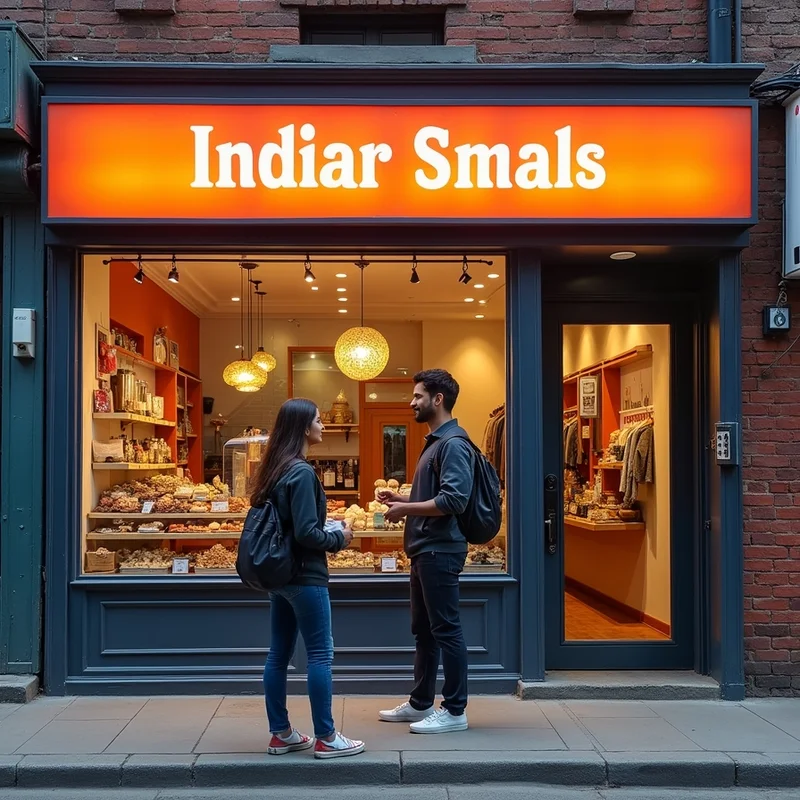
For example, a bakery in Pune might feature its most popular cake display as the cover photo, while a salon in Gurgaon could showcase its stylish interior with happy customers.
Technical Specifications for Google My Business Cover Photos
Google recommends the following:
- Size: 720 x 720 pixels minimum; 1080 x 1080 or larger is ideal.
- Format: JPG or PNG.
- File Size: Maximum 5 MB.
- Aspect Ratio: Square works best, but horizontal images display nicely on desktop.
Following these specifications ensures your cover photo displays correctly on mobile, desktop, and Google Maps.
Step-by-Step Guide to Optimize Your Cover Photo
Choose the Right Subject
- Pick an image that represents your brand and core offering. For restaurants, show a signature dish or the interior ambiance. For retail stores, highlight a product display or the store façade.
Ensure High Resolution
- Use a clear, well-lit photo. If using a smartphone, ensure good lighting and avoid digital zoom. Natural light works best.
Focus on Composition
- Make the main subject prominent. Avoid cluttered backgrounds. Centered or slightly offset compositions work well for most business types.
Add Branding Elements (Optional)
- Subtle branding, like a visible logo or signage, can reinforce your business identity. Avoid overcrowding the image with text.
Upload to Google Business Profile
- Log in to Google Business Profile.
- Click Photos > Cover.
- Upload your optimized image.
Monitor Performance
- Use Google Business Profile Insights to track engagement: clicks, direction requests, and profile views. If performance is low, test a new cover photo.
Tips to Make Your Cover Photo Stand Out
Show People in Action
- Images of customers using your products or enjoying services create relatability and trust.
Highlight Your USP.
- What makes your business unique? If you offer homemade pastries, showcase that. If your salon has a modern vibe, highlight the interior.
Seasonal Updates
- Update your cover photo seasonally—for festivals, special offers, or new product launches. Fresh visuals signal activity to Google.
Keep It Consistent Across Platforms
- If you have social media profiles or a website, use a similar cover photo to create brand consistency.
Avoid overly edited images.
- Filters, heavy text overlays, or stock images can reduce authenticity. Customers prefer real, relatable visuals.
How Cover Photos Affect Local SEO
While cover photos alone don’t guarantee higher rankings, they indirectly improve local SEO:
- Higher Click-Through Rates (CTR): Attractive images draw more clicks, signaling relevance to Google.
- Longer Profile Visits: Users spend more time exploring your listing, improving engagement metrics.
- Better Customer Interaction: Photos encourage inquiries, bookings, and direction requests—all factors Google uses to assess activity.
Platforms like LocalShouts (https://www.localshouts.com) often recommend cover photo optimization as part of a holistic local SEO strategy.
Common Mistakes to Avoid
- Blurry or Low-Resolution Photos: Detracts from professionalism.
- Using Only Stock Images: Stock photos feel impersonal and may not reflect your actual business.
- Ignoring Updates: A single photo uploaded years ago may not represent your current offerings.
- Overloading With Text or Graphics: Keep the focus on the visual subject, not heavy text overlays.
Examples of Effective Cover Photos
- Restaurant: A colorful, appetizing dish or a wide-angle shot of the interior.
- Retail Store: A neatly arranged product display or a clear storefront.
- Salon: A clean interior shot with staff or happy customers.
- Service Providers: A technician at work, a before-and-after photo of their service, or the business location.
Conclusion
Optimizing your cover photo on Google My Business is a small effort with a big impact. A high-quality, representative, and visually appealing cover photo increases clicks, builds trust, and indirectly helps improve your Map Pack rankings.
For small and micro businesses in India, this is an easy way to stand out from competitors. Platforms like LocalShouts (https://www.localshouts.com) provide actionable tips and support to make your Google Business Profile visually compelling and locally visible.
FAQs
How often should I change my cover photo?
- Update it every few months or for seasonal promotions. Frequent updates show Google your business is active.
Can I use stock images as a cover photo?
- It’s better to use real photos of your business. Authenticity improves trust and engagement.
What should I include in a cover photo?
- Your main product, service, or business location. Include subtle branding if possible.
What if my photo doesn’t show properly on mobile?
- Ensure it meets Google’s recommended size (720x720 or higher) and aspect ratio. Preview it on multiple devices before uploading.
Can I use text in my cover photo?
- Minimal text is fine, but don’t overdo it. The focus should be on the visual.
Do cover photos impact my Google ranking?
- Indirectly. Attractive photos increase engagement, clicks, and dwell time—all of which help your local SEO.




