Introduction
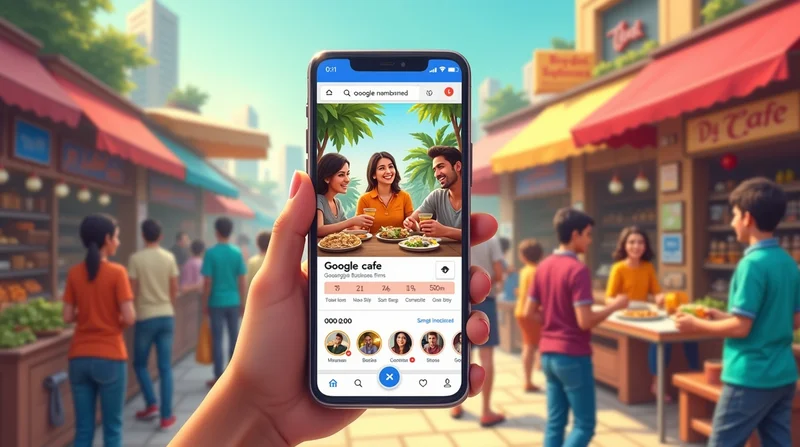
For micro and small businesses in India, first impressions are more crucial than ever. When a prospective customer searches for your shop, service, or product on Google, one of the first things they'll see is your Google My Business (GMB) profile. And right in the middle will be your cover photo.
The cover photo is your shopfront in a digital world. It tells people who you are, what you sell, and if you were where they click, call, or come in. However, many small businesses either overlook their cover photo or upload a random, mediocre, non-branded image.
In this article, we'll explain the power of the cover photo, how to select and optimize the proper one, and provide the best tips for attracting business to your GMB page. We will also show how websites like LocalShouts (https://www.localshouts.com) can help small businesses find their identity and present it properly.
Why the Cover Photo on Google My Business Matters
- First Impression = Lasting Impression: Customers often judge your business within seconds. A professional, clear cover photo builds trust instantly.
- Highlights Your Brand Identity: Whether you’re a restaurant, salon, or local service, your cover photo sets the tone. It signals quality, professionalism, and reliability.
- Impacts Click-Through Rates (CTR): A well-optimized cover photo attracts attention and encourages more people to click your profile. The higher your CTR, the better your chances of ranking higher in the Google Map Pack.
- Differentiates You from Competitors: If your competitor has a blurry image but yours looks sharp and appealing, customers are more likely to choose you.
What Makes a Good Google My Business Cover Photo?
To stand out in Indian local markets, your cover photo should follow a few golden rules:
- High Quality: Use clear, well-lit images. Avoid blurry, pixelated photos.
- Correct Size: Google recommends 1024 x 576 pixels, with a 16:9 ratio.
- Brand Relevance: Showcase what your business is about.
For example:
- A café: A photo of your signature dish or cozy interior.
- A boutique: A stylish display of your products.
- A service provider: A professional image of your team at work.
- Natural and Authentic: Use real images of your shop or team instead of stock photos. Customers want authenticity.
- Consistent with Branding: Colors, style, and tone should match your brand identity (logo, website, or physical store).
Steps to Optimize Your Cover Photo
Step 1: Create Your Brand Message
Ask yourself: "What do I want customers to feel when they see my photo?"
- A bakery would likely want customers to feel warm and hungry.
- A gym would want to show energy and motivation.
- A salon would want to show beauty and relaxation.
Step 2: Take High-Quality Photos
In natural light, you'll want to use a good smart smartphone camera. Capture your shop front, shop interiors, or your most popular product (or product offerings). Depending on where you are, a modest expense to hire a local photographer - there are quite a few talented freelancers in many small Indian towns - will still be reasonable to charge for your shoot.
Step 3: Edit for Brightness and Clarity
Some light editing (cropping, brightness, sharpness) is perfectly acceptable. Avoid too much editing with filters so your content still appears authentic.
Step 4: Upload in the Right Format
Upload to Facebook as JPG or PNG file formats. Upload in a recommended resolution of 1024 x 576 pixels and have your main subject in the middle.
Step 5: Check and Monitor
Check the photo to see how it appears on mobile and desktop. If it does not look correct, delete the photo and re-upload.
Common Mistakes to Avoid
- Using Logos as Cover Photos: While logos are great for profile pictures, cover photos should be real images that represent your business.
- Uploading Blurry or Dark Photos: Customers immediately lose trust if your images look unprofessional.
- Showing Empty Stores: A restaurant cover photo without people or food looks dull. Show life and activity.
- Ignoring Seasonal Updates: Your business evolves with seasons and festivals—your photos should too. A festive Diwali decoration or Holi-themed product display makes your profile more relatable.
How Cover Photos Impact Local SEO
Google values businesses that engage with their profiles. Updating cover photos signals that your business is active and trustworthy. Here’s how it helps your local SEO:
- Increased Engagement: Attractive photos boost clicks and calls.
- Better Rankings: Google’s algorithm considers user engagement as a ranking factor.
- Higher Trust: Customers are more likely to leave positive reviews if they see professionalism.
Practical Examples for Indian Small Businesses
- Street Food Stall in Delhi: Use a vibrant photo of your best-selling dish with happy customers enjoying it.
- Boutique in Jaipur: Showcase colorful ethnic outfits against your decorated storefront.
- Salon in Pune: Capture a well-lit, modern interior with a stylist at work.
- Tutoring Center in Lucknow: Show a classroom environment with students learning actively.
These examples highlight how different businesses can use cover photos to reflect authenticity and attract customers.
How LocalShouts Helps Businesses with Cover Photo Optimization
LocalShouts (https://www.localshouts.com) gives small businesses visibility by connecting them with local audiences. When you list your business:
- You can display high-quality cover photos alongside your details.
- Customers browsing LocalShouts (https://www.localshouts.com) can compare businesses easily, and a strong image makes you stand out.
- It acts as an additional directory citation that strengthens your SEO efforts.
By pairing your Google Business Profile with a LocalShouts (https://www.localshouts.com) listing, you double your chances of creating a lasting impression through visuals.
Seasonal Cover Photo Update Suggestions
- Holidays: Show your Diwali lights, Holi colors, or Eid decor in your shop.
- Seasonal Products: Show your summer products (coolers, juices, etc.) or winter products (blankets, heaters, etc.) on your cover photo.
- Local Events/Exhibitions: If your city is hosting a mela or exhibition, show you are participating in it.
These updates help keep your profile fresh and engaging and indicate to customers and Google that you are active.
Conclusion
Your Google My Business cover photo is more than decoration - it is a tactical tool to build trust, grab attention, and boost your local SEO. For small and micro businesses in India, it is one of the easiest, yet most effective ways to compete against larger businesses.
With an authentic, high-quality image and seasonally updated cover photo, you can start to create an impression that is powerful. This strategy, reinforced through LocalShouts, can help make your business more visible to your neighborhood and help you grow your business.
FAQs
- What is the best size for a Google My Business cover photo? 67882hue.recommend 1024 x 576 pixels, with a 16:9 aspect ratio.
- Can my logo be a cover photo? No, logos are more suited for a profile photo. Cover photos should represent what your business looks like.
- How often should I switch out a cover photo? At least once per season, and with festivals or special promotions.
- Do cover photos influence SEO rankings? Indirectly, yes. A visually captivating cover photo encourages engagement, which boosts your rankings on local search.
- What type of businesses benefit most from impactful cover photos? All businesses benefit - cafes, salons, boutiques, gyms, tutoring businesses, even service providers.
- How does LocalShouts promote my photos? LocalShouts offers the chance to promote your cover photos in front of local customers thus giving your brand enhanced visibility and credibility.




