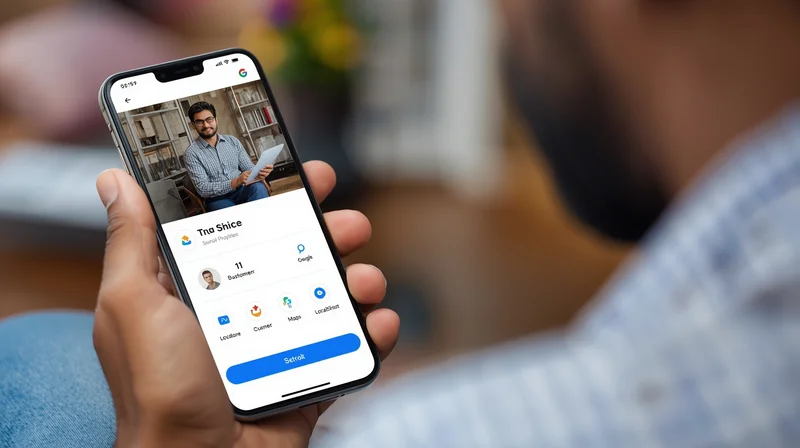
Introduction
In our fast-paced world, customers who look for products or services expect an immediate response. For small and micro businesses in India—whether it is a local salon, a coaching center, a repair service, or a bakery—Google Business Messaging transforms the way you interact with customers.
Google Business Messaging allows potential customers direct messaging with your business through your Google Business Profile, Maps, and Search. Messaging is simple, instantaneous, and can be accomplished on any device as compared to a phone call or an email. When businesses routinely use messaging, they typically have higher engagement, better satisfaction and have increased conversions.
In the article we will look into what Google Business Messaging is, why it matters for small businesses, how to set it up and use it. And finally, we will discuss how messaging, when used with a service such as LocalShouts (https://www.localshouts.com) will improve your digital presence.
What is Google Business Messaging?
Google Business Messaging is a tool that allows customers to reach out via direct message, either from your Google Business Profile or the listing on Google maps. Customers can ask questions, check to see if you are available, get a quote, or schedule an appointment without leaving Google.
Features of Google Business Messaging included:
- Instant communication with prospective customers.
- Message notifications on your mobile device.
- (Optional) Automated responses to common questions.
- Integrates with supported 3rd party software.
Why Google Business Messaging Matters
- Improves Customer Experience: Customers want quick answers. Messaging lets them reach you instantly, creating a professional and trustworthy impression.
- Increases Leads and Conversions: Many customers prefer messaging over calling. By responding promptly, businesses can convert queries into appointments or sales faster.
- Enhances Local SEO: Active engagement through Google messaging can indirectly improve your local SEO. Google notices high interaction and may rank your business higher in local searches.
- Builds Trust: Responding to messages promptly shows that your business is active and customer-friendly, increasing credibility among local customers.
How to Enable Google Business Messaging
Step 1: Access Google Business Profile
- Visit Google Business Profile Manager.
- Log in with the Google account linked to your business.
Step 2: Go to Messaging Settings
- On your profile dashboard, navigate to “Messages”.
- Click “Turn on messaging”.
Step 3: Choose Your Device
- Messages can be received through the Google Maps app, Google Search app, or web dashboard.
- Ensure notifications are enabled so you don’t miss customer messages.
Step 4: Add a Greeting
- Set up a welcome message that appears when customers initiate contact.
- Example: “Hi! Thanks for reaching out to Sunshine Salon. How can we help you today?”
Step 5: Optional Automated Responses
- You can add FAQs or quick replies for common queries like service timings, pricing, or availability.
Step 6: Save and Test
- Send a test message to ensure you receive notifications and can respond promptly.
Tips to Use Messaging Effectively
- Respond Promptly: Customers expect fast replies. Ideally, respond within minutes or at least a few hours.
- Be Clear and Professional: Use polite, professional, and concise language. Include important details like service timings, location, or booking instructions.
- Use Quick Replies: Predefined responses for common questions save time and maintain consistency.
- Encourage Bookings or Calls: After answering queries, guide customers to book appointments, visit your shop, or call for more information.
- Track Common Queries: Analyze messages to understand frequently asked questions. Update your business description, posts, or LocalShouts (https://www.localshouts.com) profile to reduce repetitive queries.
- Keep It Personal: Even automated responses should feel human. Mention customer names if possible and personalize messages.
Industries That Benefit Most from Google Messaging in India
- Salons and Beauty Parlors: Customers can check service availability, book appointments, and ask for pricing instantly.
- Restaurants and Bakeries: Quickly handle table reservations, custom cake orders, and takeaway inquiries.
- Coaching Centers and Tutors: Parents can message for course details, schedules, and trial classes.
- Home Service Providers: Plumbers, electricians, and repair services can respond immediately to urgent requests.
- Healthcare Clinics: Patients can inquire about appointment slots, doctor availability, or services without waiting on calls.
How LocalShouts Enhances Google Business Messaging
While Google Business Messaging is powerful, platforms like LocalShouts (https://www.localshouts.com) amplify its effectiveness:
- Unified Communication – Track messages from multiple platforms in one place.
- Post Updates and Offers – Promote new services or seasonal offers to encourage messages.
- Verified Business Profile – Ensures customers trust your listing and are more likely to message.
- Local Discovery – Helps small businesses get discovered by nearby customers, increasing inbound messages.
By combining Google Messaging with LocalShouts, businesses can create a seamless communication experience, attract more local customers, and improve conversion rates.
Common Mistakes not to make
- Ignoring Customer Messages: Failure to respond to messages can damage credibility and reduce engagement.
- Slow Responses: Slow replies frustrate customers and may drive them to competitors.
- Too Generic Replies: Try not to sound robotic in your replies. Be as personal as you can with your messages.
- Not Updating Business Hours: If a customer messages outside of business hours, and they don't see a response, they may feel frustrated.
Real Case Studies of Indian Small Businesses That Have Used Google Messaging
- Salon located in Bangalore – Added messaging and responded quickly to messages and immediate booking inquiries grew by 50% and walk-ins increased significantly.
- Bakery located in Delhi – Allowed customers to message asking for look cakes, custom cakes, and catering. Our orders doubled during the festive season.
- Home repair service located in Mumbai – Used messaging through Google in case of emergency plumbing requests translating to increased customer satisfaction and repeat business.
These examples illustrate how small businesses can grow their engagement, conversions, and trust with their customers using messaging and developing their potential.
Conclusion
Google Business Messaging is a powerful resource for small and micro businesses in India. It offers your customers instant access to engage with you while also providing an indirect boost to your local SEO and map rankings.
Messaging allows you to engage with your customers, timely respond to messages, and support the messaging platform with LocalShouts (https://www.localshouts.com), which ensures you have a professional, trustworthy, and extremely responsive local digital presence. Quick engagement often leads directly to more bookings, sales, and repeat customers.
FAQs
- What is Google Business Messaging? Simply put, it is a feature that allows customers to send direct messages to your business from Google Maps or Search.
- Does Google Messaging improve rankings? Yes and no. Messaging increases engagement, which signals to Google you are relevant to a customer search, gaining some local SEO bumps.
- Can all businesses use Google Messaging? Most service-based businesses, retail shops, and restaurants can use Google Messaging.
- How quickly should I respond to messages? You should respond within a minute to a few hours as soon, if not immediately, to keep customer trust.
- Can I automate replies? Yes, you can certainly set a welcome message and choose from quick replies for frequently asked messages.
- How does LocalShouts help with Messaging? LocalShouts helps your business become more discoverable, post special offers to generate a message, and creates a verified local space to tie more numerous customer inquiries to your business.




