Introduction
When was the last time you searched for a local business on Google and clicked on a listing with no photos? Probably never.
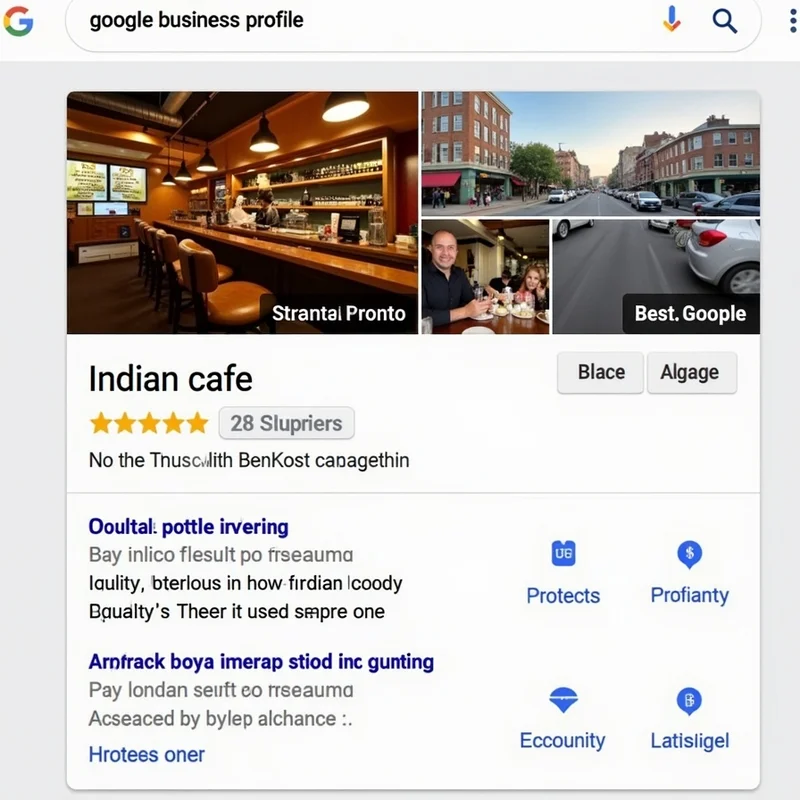
In today’s digital-first world, visuals have become the most powerful way to capture attention. For small and micro businesses in India, a well-optimized Google Business Profile with good-quality photos can be the difference between a customer clicking on you or scrolling past.
According to Google, businesses with photos receive 42% more requests for directions and 35% more click-throughs to their websites compared to those without photos.
In this article, we’ll explore why photos have such a dramatic impact, what types of photos you should upload, and how to use them strategically to boost engagement.
The Science Behind Why Photos Work
Humans are visual creatures. Our brains process images 60,000 times faster than text. When someone searches “best bakery near me” and sees your profile with bright, inviting photos of cakes and smiling staff, they immediately feel more connected to your business.
Here’s why photos drive engagement:
- Build Trust Instantly: Real photos show customers that your business actually exists and is professional.
- Create Emotional Appeal: Images of food, interiors, or happy customers spark emotions and make people want to visit.
- Stand Out in Search Results: Profiles with photos take up more space on screen, attracting more attention.
- Reduce Uncertainty: Customers feel more confident knowing what to expect before they visit.
Platforms like LocalShouts (https://www.localshouts.com) also encourage businesses to add high-quality photos to listings because it helps them connect with local customers better.
Types of Photos That Boost Engagement
Not all photos are equal. Here are the must-have categories for your Google Business Profile:
Exterior Photos
- Show your shop, office, or storefront from different angles. This helps first-time visitors recognize your location.
Interior Photos
- Display a clean, welcoming view of your interiors so customers know what to expect.
Product or Service Photos
If you sell products, showcase them. If you offer services (salon, restaurant, gym), show people using them.
Team Photos
Adding photos of your staff builds a personal connection and trust.
Menu or Pricing Photos
- For restaurants, cafés, salons, or clinics, a clear menu or price chart photo can increase conversions.
Event Photos
- Highlight special occasions, festivals, or workshops to show that your business is active and lively.
Customer Experience Photos
Capture happy customers (with permission) to showcase real-life experiences.
How Photos Improve Local SEO
Adding photos isn’t just about looking good—it also helps your ranking.
- Google Rewards Active Profiles: Frequent photo uploads signal that your business is active and engaged.
- Increased Click-Through Rate: Higher engagement metrics can improve your position in local search results.
- Better Relevance: Photo metadata (like geotags) can give Google more context about your location.
This means more people see your profile, which translates into more calls, visits, and sales.
Best Practices for Adding Photos
Follow these tips to get maximum impact:
Use High-Quality Images.
Avoid blurry, dark, or pixelated images. A good smartphone camera is enough, but ensure proper lighting.
Maintain Consistency
Upload at least 5–10 photos initially and keep adding new ones regularly.
Optimize File Names
Instead of “IMG_123.jpg,” use descriptive names like “banner-salon-interior.jpg.” This can improve discoverability.
Show Diversity.
Include a mix of wide shots (interior/exterior) and close-ups (products, staff).
Keep Branding Subtle.
You can include your logo on images, but keep it professional and non-intrusive.
Geotag Your Photos
If possible, add location data to your photos before uploading—this strengthens local relevance.
Common Mistakes to Avoid
- Stock Photos: Avoid using generic stock images. Customers can spot them easily and may distrust your business.
- Over-Edited Photos: Overuse of filters can make your business look fake. Keep it natural.
- Outdated Photos: Don’t show old menus or events that are no longer relevant.
- Inconsistent Branding: If your shop is repainted or renovated, update your photos.
How Often Should You Upload Photos?
Consistency is key. Google prefers active profiles.
- Initial Setup: Upload at least 10–15 photos to cover all major categories.
- Monthly Updates: Add 2–3 new photos every month.
- Seasonal Updates: Add photos during festivals or sales campaigns.
This sends positive signals to Google and keeps your profile fresh.
Creative Photo Ideas for Indian Small Businesses
- Festival Décor: Show off Diwali lighting, Holi celebrations, or Independence Day themes.
- Behind-the-Scenes: Show how your products are made or how your team works.
- Customer Spotlights: Share a happy customer moment (with consent).
- Local Tie-Ins: Show your connection to the neighborhood—like a photo with a popular local landmark.
Businesses on LocalShouts (https://www.localshouts.com) often use such creative ideas to attract more clicks and walk-ins.
Using Photos to Tell Your Brand Story Photos aren’t just decoration—they tell your story.
- A bakery can show its early-morning preparations.
- A coaching center can show students receiving certificates.
- A gym can show before-and-after transformations.
This makes your profile feel alive and personal, which attracts more engagement.
Tracking Engagement with Photos
Use Google Business Profile Insights to measure results:
- Photo Views: See how many times your photos are viewed compared to similar businesses.
- Engagement Metrics: Track calls, direction requests, and clicks before and after photo uploads.
- Identify Best Performers: If certain photos get more views, upload more of that type.
Conclusion
Adding photos to your Google Business Profile is one of the simplest, most cost-effective ways to dramatically increase engagement. From building trust to improving SEO, photos have the power to turn searchers into paying customers.
The best part? You don’t need fancy equipment—just a smartphone, good lighting, and a little creativity.
By consistently uploading fresh, authentic, and high-quality photos, you will stand out in Google searches, attract more visitors, and grow your small business.
And if you want to maximize your reach beyond Google, consider listing your business on LocalShouts (https://www.localshouts.com) to appear in local searches and build a stronger online presence.
FAQs
Do I need professional photography for my Google Business Profile?
- Not necessarily. A good smartphone camera with natural light is enough, but professional photos can add extra polish.
How many photos should I upload?
- Aim for at least 10–15 photos initially and keep adding 2–3 per month to stay active.
Can I upload videos as well?
- Yes! Google allows short videos (up to 30 seconds). Videos often get even higher engagement.
What size should my photos be?
- Google recommends 720px by 720px or higher for best quality.
Should I geotag my photos?
- Yes, geotagging helps Google understand where the photo was taken, improving local relevance.
Are stock photos allowed?
- They are allowed but not recommended. Real, authentic photos perform much better and build trust.




