Introduction
In our digital-first world, restaurants are assessed not just by the food they offer but also by how discoverable and engaging they are. For small and local restaurants, Google Maps Insights has turned out to be a hidden "gem" — an insights tool that many may overlook, but can show you how people discover, see, and interact with your business online. Whether you own a small café, a takeout restaurant, or a fine-dining restaurant, Google Maps Insights will allow you to make better marketing and operations decisions.
Platforms like LocalShouts (https://www.localshouts.com) really add to your local visibility by combining listings, promotions, and digital tools to allow small restaurants access local audiences.
Let's dive into how you can start leveraging Google Maps Insights to grow your restaurant and attract more customers.
Understanding Google Maps Insights
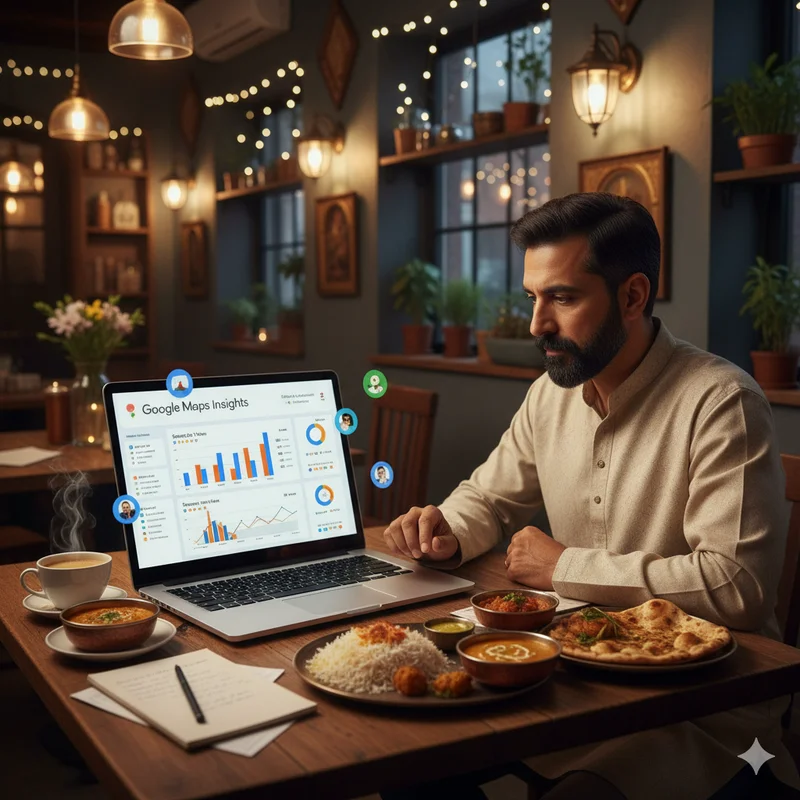
Google Maps Insights is part of your Google Business Profile (formerly Google My Business). It provides analytics on how customers discover your restaurant, what actions they take, and how often they visit your listing. Think of it as your restaurant’s digital report card.
It tells you:
- How many people found your restaurant through search or maps.
- The keywords they used to find you.
- Where your customers are coming from.
- What actions they took — calls, direction requests, or website visits.
- When your listing gets the most attention.
For small restaurant owners, this data is a goldmine that can guide everything from marketing strategies to operational improvements.
Why Google Maps Insights is Important to Restaurants
The Google Maps profile of your restaurant is likely the first look customers have for deciding where to go. Research shows that more than 70% of people dining in will check reviews and get directions online prior to entering your restaurant.
Using Maps Insights allows you to:
- Understand Customer Behavior — see when and how people discover you.
- Optimize Your Time — when the best time to run a promotion or offer is when the most amount of people are discovering you.
- Increase Your Visibility — you can see what words are bringing the most views.
- Refine Your Marketing — you can adjust your content or advertisements based on actual data about your real audience.
- Improves the Customer Experience — you have insight on how customers are thinking about you and what they expect after they search for you.
When combined with tools such as LocalShouts (https://www.localshouts.com), these insights can be paired with local campaign tools that can further enhance your digital footprint.
Key Metrics to Track in Google Maps Insights
How Customers Find Your Listing
Google Insights divides searches into:
- Direct searches – when people type your restaurant name.
- Discovery searches – when users search for generic terms like “best biryani near me” or “cafes in Connaught Place.”
- Branded searches – when people look for related brands or chains.
Most local restaurants benefit from discovery searches, which means optimizing for keywords like “family restaurants near me” or “late-night cafés in Pune” is vital.
Where Customers View Your Listing
Insights show whether people found you on Google Search or Google Maps. This helps you focus your efforts — if Maps traffic is higher, ensure your address, photos, and map pin are 100% accurate.
Customer Actions
You can track how many people:
- Called your restaurant directly from the listing.
- Requested directions.
- Visited your website.
- Viewed your photos.
These actions show real customer intent. For example, an increase in direction requests usually means strong interest and high conversion potential.
Photo and Media Views
Insights also compare your photos’ performance against competitors. If your photo views are low, invest in better visuals — attractive food shots, clean interiors, or happy diners can make a huge difference.
Popular Times and Locations
The “Popular Times” feature helps identify when customers search or visit your restaurant most often. Use this data to plan staff schedules, discounts, or live events.
How to Turn Insights into Strategy
1. Optimize Your Listing with Better Keywords: If your discovery searches are high, find out which keywords people use. Include those in your restaurant description, posts, and menu titles. For instance, if customers find you through “best pizza in Jaipur,” feature that phrase in your content.
2. Run Local Ads During Peak Hours: Once you identify your busy periods using Maps Insights, you can plan local ad campaigns. Promote happy hours, lunch combos, or weekend specials to capture more attention.
3. Update Photos and Menu Regularly: Photo performance data shows what works visually. Replace low-performing photos with bright, clear images. Add videos showcasing your kitchen, chef, or ambiance.
4. Improve Your Reviews Strategy: If you notice spikes in views after good reviews, encourage more feedback. You can use gentle prompts like QR codes on tables or messages on receipts.Platforms like LocalShouts (https://www.localshouts.com) also allow restaurants to highlight reviews and connect with nearby audiences — extending the reach of your customer stories beyond Google Maps.
5. Focus on Service Timing and Promotions: If Insights show high searches during evenings, plan discounts or special menus for that time slot. This approach ensures your marketing aligns with customer behavior.
Sample Scenario: A Neighborhood Restaurant That Used Insights Smartly
There is a small dosa café in Chennai that realized through Maps Insights that the majority of direction requests were occurring between the hours of 7 AM-10 AM. As a result, they regularly had breakfast combos.
- They had “early-bird” specials between 7-9 AM.
- They updated the photos on their Google page to reflect the morning community.
- Three months later their engagement on their Google profile was up 45% and dine-bees during the week had doubled.
The owner then posted the café on LocalShouts, which also increased their local exposure by connecting with nearby professionals looking for breakfast options.
LocalShouts, An Integral Part to Help Increase Local Visibility.
While Google Maps Insights provides important analytics, LocalShouts (https://www.localshouts.com) takes it one step further - actionable visibility, giving restaurants:
- A business listing that will provide local you with exposure.
- An ability to promote their specials to designated neighborhoods.
- A way to collect and display reviews from customers.
- A way to promote stories, accomplishments, and events to engage people with them.
With Google Maps Insights paired with a LocalShouts listing, you have combined to make a full local marketing system- a system that will help restaurants understand, improve and broadcast their brand legitimacy in a competitive market.
Best Practices for Using Google Maps Insights
- Check Insights Weekly: Track your numbers consistently to spot trends early.
- Respond to All Reviews: Google rewards active engagement.
- Post Regular Updates: Add posts about events, dishes, or offers.
- Use Location Tags in Social Media: This connects your social content with Maps searches.
- Combine Offline and Online Promotions: For example, a QR code at your restaurant linking to your Maps review page.
Common Mistakes to Avoid
- Disregarding customer interactions and focusing solely on views.
- Using outdated photos or menus on your listing.
- Failure to respond to reviews - especially negative reviews.
- Using various business names or addresses.
Avoiding these decisions will help keep data clean, actionable, and accurately representative of customer engagement.
Conclusion
Google Maps Insights is not just a reporting tool – it's a road map for restaurant success. Knowing how customers are finding and engaging with your restaurant online will help you improve your marketing efforts, create better customer experiences, and reach long-term sustainable growth.
If you are a small restaurant trying to build a stronger connection to your community, LocalShouts (https://www.localshouts.com) will be the perfect companion platform – it helps restaurants not just to analyze, but also to promote, and bring to life your engagement with customers.
With both tools in place, your restaurant will be able to turn local interest into local loyalty and local visibility into long term success!
FAQs
1. What is Google Maps Insights for restaurants?
It’s an analytics feature within your Google Business Profile that shows how customers find and interact with your restaurant on Google Search and Maps.
2. How often should restaurants check Google Maps Insights?
Ideally, review your Insights weekly or biweekly to track changes, optimize strategies, and identify growth opportunities.
3. Can Insights show which dishes attract more customers?
Not directly, but high engagement on certain menu photos can indicate what customers find appealing.
4. Does responding to reviews impact Insights performance?
Yes, consistent engagement and responses to reviews improve ranking and visibility.
5. How can LocalShouts help alongside Google Maps Insights?
LocalShouts helps you reach nearby customers through local listings, promotions, and stories, complementing the analytics provided by Google Maps Insights.
6. Can Insights help in planning ad campaigns?
Absolutely! Insights show when your restaurant gets maximum visibility, helping you plan ad timings for maximum impact.