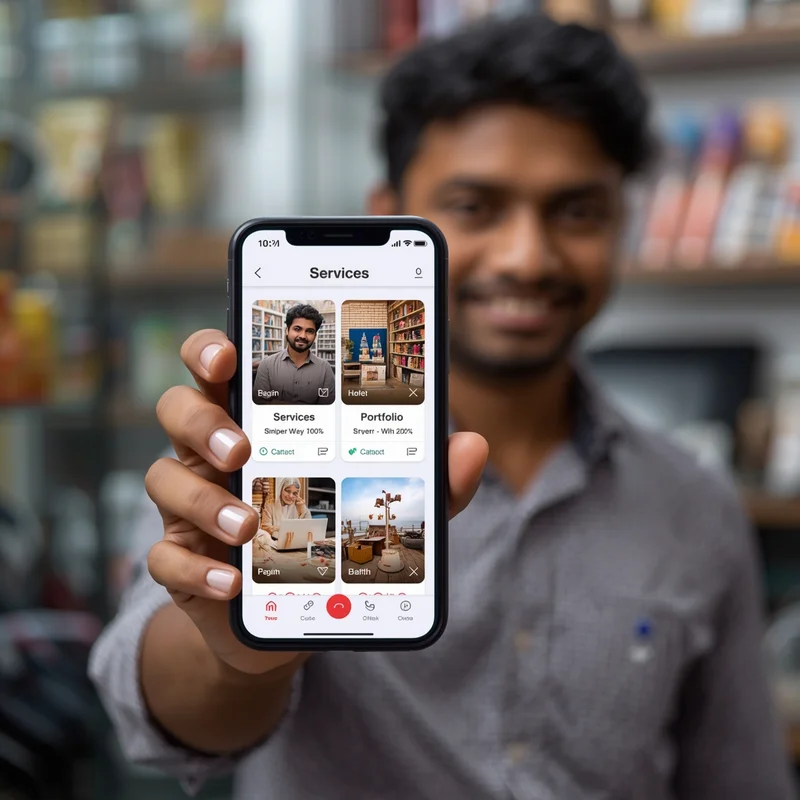
The digital landscape presents a challenge that nearly all small and micro-businesses in India have faced. That challenge is sharing your work with potential clients quickly, easily, professionally, and on a global scale. To do this, a lot of small business owners have turned to PDF portfolios to display their services, project history, and samples of their work. While PDF portfolios were once considered the standard format for these types of documents, the growing popularity of digital cards has seen many small companies abandon PDF portfolios in favor of a much more functional, fast, and flexible alternative.
Digital cards provide an updated solution for micro businesses to generate impressive first impressions with potential clients; network successfully and grow their online presence without the expense and complexity of using expensive tools or hiring expensive consultants. LocalShouts (https://www.localshouts.com) offers small business owners an easy-to-use platform through which they can create more functional and easily shareable digital cards than what was previously offered in traditional PDF portfolios.
This article provides examples of the practicality differences between digital cards and PDF portfolios and how digital cards enhance business operations and improve their user interface for micro-businesses. Additionally, it discusses the LocalShouts platform and why it is an ideal application for micro-businesses to create professional digital card portfolios.
The Limitations of PDF Portfolios
- PDF portfolios have been popular because they are easy to create and can include multiple pages with images, text, and design elements. However, they present several challenges for small and micro-businesses:
Difficult to Share on Mobile
- Most customers in India access information on smartphones. PDFs often have large file sizes, making them slow to open or download on mobile devices. Many clients may simply skip downloading them.
Limited Interactivity
- PDFs are static. You cannot add clickable buttons for WhatsApp, calls, or social media directly within the file in a way that’s user-friendly on mobile devices.
Hard to Update
- Whenever you add new services, work samples, or contact details, you must recreate or edit the PDF, which can be time-consuming and error-prone.
No Analytics or Engagement Tracking
- You cannot know whether clients viewed your PDF, clicked on links, or engaged with your content.
Sharing Challenges
- Sending a PDF over WhatsApp or email can be cumbersome. Large files may not send properly, and clients may forget to open them.
Lacks Branding and Professional Layout Consistency
- Even if the PDF is well-designed, it may appear differently on various devices. Fonts, images, and layout can shift, affecting the professional look of your portfolio.
Digital cards solve these issues by offering an interactive, mobile-optimized, and easily shareable alternative.
What Are Digital Cards?
A digital card is an online profile that consolidates all essential business information into a single, easily accessible link. Unlike PDFs, digital cards are designed for real-time sharing, mobile viewing, and interactive engagement.
A typical digital card includes:
- Business name and owner information
- List of services or products
- Portfolio images and videos
- Contact buttons (call, WhatsApp, email)
- Social media links
- Location via Google Maps
- Customer testimonials or reviews
- Business hours
Digital cards work as mini-websites or online business profiles, making them more practical than PDFs for small business owners.
How Digital Cards Improve Practicality Over PDF Portfolios
1. Easy to Share Instantly
- Digital cards are shareable via one simple link. Whether it’s WhatsApp, Instagram, Facebook, or email, a client can access your card instantly without downloading anything. PDFs, on the other hand, require file transfers, downloads, and sometimes specific apps to view.
2. Mobile-Friendly Design
- Digital cards are optimized for mobile viewing. Since most small business clients in India use smartphones, this makes digital cards far more accessible than PDFs, which may not display correctly on all devices.
3. Interactive Contact Options
- Digital cards include clickable call, WhatsApp, or email buttons, enabling clients to reach out immediately. PDF portfolios cannot match this level of interactivity without complicated workarounds.
4. Real-Time Updates
- With digital cards, you can update services, portfolio images, and contact information instantly. Clients always see your latest offerings without needing a new version. PDFs require re-editing and resending, which is inefficient.
5. Professional Appearance
- Digital cards offer consistent design across devices. Layouts, fonts, and images remain intact, giving a polished and professional look. PDFs may appear different depending on the device or app used to open them.
6. Analytics and Engagement
- Platforms like LocalShouts (https://www.localshouts.com) allow you to track engagement. You can see who clicked your link, what sections they viewed, and how often your card is accessed. PDFs provide no such insights.
7. Consolidated Information
- Digital cards combine portfolio, contact info, reviews, and social links in one place. PDFs often require separate attachments or links for additional information, creating friction for clients.
8. Cost-Effective Solution
- Creating and updating PDFs may require design software or professional help. Digital cards are easier to maintain and can serve as a complete online presence without the cost of a full website.
Why LocalShouts Is Perfect for Micro-Businesses
LocalShouts (https://www.localshouts.com) specializes in helping small and micro-businesses create professional digital cards. Here’s why it stands out:
Simple Setup
- Even business owners with minimal technical skills can create a professional digital card in minutes.
Customizable Layouts
- Add services, portfolio images, videos, customer reviews, and social links in a visually appealing format.
Mobile-Optimized Design
- LocalShouts ensures that your card looks perfect on any device, improving client experience and engagement.
- Easy Sharing
One link can be shared on WhatsApp, email, social media, and Google Business Profile, making it far easier to distribute than a PDF.
Real-Time Updates
- Update your portfolio, contact details, or services anytime. Clients always see the latest information without you having to resend files.
Portfolio Showcase
- Upload unlimited images and categorize your work. Whether you are a baker, photographer, salon owner, or home service provider, your portfolio looks professional and organized.
Enhanced Credibility
- Digital cards give micro-businesses a professional online presence that builds trust with clients and helps compete with larger businesses.
Practical Scenarios: Digital Cards vs PDF Portfolios
Networking Events
- Digital cards can be shared instantly via QR codes or links, allowing instant access for prospects. PDF portfolios require transferring files, which is slower and less convenient.
Client Meetings
- Showcasing your portfolio through a digital card during a client meeting allows instant scrolling and interaction. PDFs often require opening a laptop or phone, adjusting zoom levels, and waiting for load times.
WhatsApp Sharing
- Sending a PDF over WhatsApp may face file size restrictions. Digital cards are a single link, accessible in seconds without download issues.
Referrals
- Clients can forward digital card links to friends or colleagues easily, improving word-of-mouth marketing. PDFs are less convenient for forwarding and can get lost in chat threads.
Updates and New Work
- Digital cards allow adding new portfolio items immediately. PDFs require editing, exporting, and resending, making updates cumbersome.
Who Benefits Most from Digital Cards
Digital cards are particularly useful for micro and small businesses that rely on showcasing work visually and need instant client engagement. Examples include:
- Photographers and videographers
- Salons, makeup artists, and beauty professionals
- Bakers, caterers, and home chefs
- Carpenters and interior designers
- Event planners and decorators
- Tutors and coaching centers
- Tailors and boutique owners
- Electricians, plumbers, and home service providers
For these businesses, digital cards provide a practical, professional, and highly effective alternative to PDF portfolios.
Tips for Creating an Effective Digital Card on LocalShouts
Keep it Clean and Organized
- Use clear sections for services, portfolio, and contact details.
Upload High-Quality Images
- Ensure your portfolio images are sharp and professional to make a strong impression.
Include Testimonials or Reviews
- Customer feedback builds trust and credibility.
Update Regularly
- Add new work samples, services, or contact information as your business grows.
Share Proactively
- Distribute your digital card via WhatsApp, social media, email, and Google Business Profile to maximize visibility.
Conclusion
While PDF portfolios have served as a traditional way to showcase business work, they are increasingly impractical in today’s mobile-first, fast-paced environment. Digital cards provide a modern, interactive, and shareable solution that is far more convenient and effective for small and micro-businesses in India.
LocalShouts (https://www.localshouts.com) makes it easy for business owners to create professional digital cards that include portfolios, services, contact options, and customer reviews—all in a single, mobile-friendly link. By adopting digital cards, micro-businesses can save time, improve networking, build trust, and reach more clients efficiently.
For any small business looking to showcase its work professionally, digital cards are the practical choice, replacing PDFs and transforming client engagement in the process.
FAQs
1. Why are digital cards better than PDF portfolios?
Digital cards are mobile-friendly, interactive, instantly shareable, and easy to update, unlike static PDFs.
2. Can LocalShouts digital cards include portfolio images and videos?
Yes. You can upload unlimited images and videos, making your work accessible and visually appealing.
3. Is technical knowledge needed to create a LocalShouts digital card?
No. LocalShouts is designed for small business owners and requires no technical skills.
4. Can I share my digital card on WhatsApp and social media?
Absolutely. A single link can be shared across multiple platforms instantly.
5. How often should I update my digital card?
Update it whenever you add new services, portfolio items, or client testimonials to keep it current.
6. Can digital cards replace websites or printed portfolios?
Yes. They act like mini-websites with portfolio, services, and contact information, while being more convenient than printed PDFs.


