Introduction
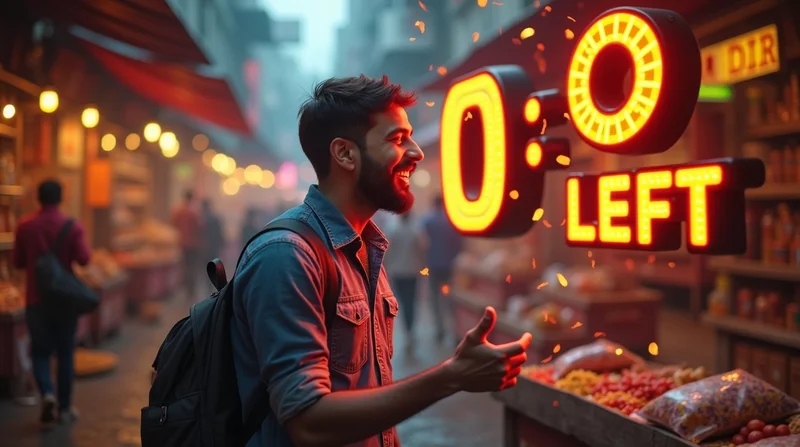
Have you ever had the growing anticipation of a new shop counting down to its grand opening, or a brand you follow online posting “3 days to go!” on social media? That is the essence of a countdown campaign — simple but powerful in creating excitement, capturing attention, and increasing engagement, all prior to a big launch.
For small and micro businesses in India, countdown campaigns are one of the brightest ways to establish visibility without spending a lot of money. Whether you are launching a new location, product, website, or even a festival sale, countdown campaigns keep you on front of your audience and engage them through the journey.
In this article, we will provide you with the basics of running an effective but easy countdown campaign. Plus, you will see how you can take a campaign to the next level with tools such as LocalShouts (www.localshouts.com) and Google My Business, enabling you to create even greater reach within your local community leading up to your launch day.
What Is a Countdown Campaign?
A countdown campaign is a time-oriented promotional strategy that creates anticipation by reminding your followers of how many more days there are until something exciting happens.
This may be:
- The opening of your new storefront
- A new product launch
- A limited-time offer
- A special festival sale
- Or even a milestone event like your business anniversary
The goal is to post consistently — “5 days to go…” “3 days to go…” “Tomorrow is the day!”— to get your audience to remember that excitement is coming.
This type of development changes an ordinary announcement into an interactive story that engages people every day the launch gets nearer.
Why Countdown Campaigns Work So Well
1. They Create Anticipation: People love to look forward to something. When you show that something big is coming soon — and keep reminding them — it naturally builds excitement.
Just like we wait eagerly for festivals like Diwali or Eid, your followers will start waiting for your launch or event. The countdown keeps your business top of mind without you having to constantly advertise.
2. They Encourage Daily Engagement: Every new countdown post is a fresh opportunity for your audience to interact. You can post short videos, stories, or posters showing “5 Days Left” or “Only 1 Day to Go!”
Even a small comment or emoji from a follower helps your business stay visible in their feed — and the more engagement you get, the more new people will see your posts.
3. They Build a Sense of Urgency: Countdowns also trigger a psychological effect called “FOMO” — fear of missing out. When people see that time is running out, they’re more likely to act.
For example, if you’re offering a “Pre-launch discount for 3 days only,” customers will rush to grab the offer before it expires.
Urgency drives faster decisions — and that’s great for business.
4. They Strengthen Brand Visibility: Each countdown post acts as a reminder that your brand exists and is active. For small businesses that are still building their name, this consistent presence builds credibility and recognition.
Even if someone doesn’t buy immediately, they’ll remember your brand the next time they need your product or service.
5. They Work Across All Platforms: The beauty of a countdown campaign is its flexibility. You can run it anywhere — your website, social media pages, Google My Business, WhatsApp Status, or on your LocalShouts (https://www.localshouts.com) profile.
No matter where your customers are, countdowns are simple to execute and easy to understand.
How to Plan a Countdown Campaign Step-by-Step
Running a countdown campaign doesn’t need a big budget. What it needs is good planning, creativity, and consistency.
Here’s how to do it effectively:
Step 1: Define Your Goal
Ask yourself — what are you counting down to?
Your campaign goal could be:
- Launching your store or website
- Introducing a new product or menu
- Announcing an event or sale
- Reopening after renovations
- Celebrating a milestone
Having a clear goal helps you decide what kind of content to create and how long your countdown should last.
Step 2: Choose the Countdown Duration
The duration to run your countdown is based on your purpose or goal:
- 7 days: Best for small product launches, store openings, or short flash sales.
- 14-30 days: Great for larger product launches like a brand launch or festival.
- 3 days: Works for surprises or limited-time deals.
Whatever you decide, make sure you have enough content to post regularly.
Step 3: Create Engaging Countdown Content
A countdown campaign is more than just numbers; each countdown day post should feel interesting and relate to your story.
A few ideas include:
- Behind the scenes video of a team member preparing or packaging a product.
- Sneak peek of your product-reveal a sneak peek of product details each day.
- Images of the team- include images of your team, to help others feel connected to who is behind your business.
- Customer teaser- share images of customers or your friends (your early testers).
- Use a quote or fun facts about your product or services.
ex: "Only 5 days until we are baking! Can you guess what it is?" (imagine if you own a bakery)
ex: "Only 3 days before your morning coffee is special! Meet the team making the coffee!" (if you own a café).
Even boring countdown messages can feel personal and authentic.
Step 4: Choose Where to Post
You should make sure your countdown is visible wherever your audience spends their time online.
Here’s where to focus your attention:
- LocalShouts (https://www.localshouts.com): Create a verified listing for your business and start posting countdown updates. Local users looking for shops and services in their area will see your posts -- creating more local awareness.
- Google My Business: Use the “What’s New” or “Event” posts at each stage of your countdown. This counts towards local SEO and ensures your business appears higher up the Google search results.
- Social Media: Take advantage of Instagram stories or (Facebook) reels or log a countdown via WhatsApp Status. Post your countdown on a daily basis, utilize location tags and hashtags to reach the maximum audience.
- Your Website: If you have a website, add a countdown banner or countdown timer that updates daily. It will give visitors a reason to come back.
By leveraging these platforms, your countdown campaign reaches new customers while still engaging your loyal customers.
Step 5: Use Clear Visuals
Countdowns are a visual medium for countdowns — numbers should be bold and stand out. Use bold text, your brand colors, and a clean and simple layout.
Free tools, like Canva, have countdown templates ready to go. You can customize the countdown templates using your logo, your slogan, or even a fun emoticon or two.
If you are using LocalShouts, you can upload your countdown images along with your posts so that local users can see a solid visual next to your business listing.
Step 6: Add a Call to Action (CTA)
Every post should prompt your audience to take some sort of action.
For example:
"Follow us for updates!"
"Check out our LocalShouts page to learn more."
"Tag a friend who enjoys surprises."
"Sign up for exclusive discounts on launch day."
CTAs are ways to turn curiosity into actual engagement from customers.
Step 7: Keep Engagement High
Don't just post and run. Respond to comments, respond to questions, and thank people for their enthusiasm.
Two-way engagement makes your followers feel connected to and valued by you, and that feeling is what they'll remember when they go to buy.
You can even make your countdown interactive...
- Click for polls (e.g., "What do you think it is? Launching in 2 days.")
- Provide small rewards for people that share your post
- Share your countdown from customers or partners’ stories.
Step 8: Launch Day Reveal
When your countdown reaches zero — make it special!
Create a “Launch Day” post that reveals your product, store, or event in a clear, exciting way.
Tips for the final post:
- Post early in the day (so people can act on it).
- Use bright visuals or videos.
- Thank your audience for following the journey.
- Share the next step — visit, order, register, etc.
If your business is listed on LocalShouts (https://www.localshouts.com), update your listing with the official launch details and images. This gives your campaign a professional finish.
Tips to Make Your Countdown Campaign Stand Out
- Stay Consistent: Don’t skip days. Consistency builds rhythm and excitement.
- Use Local Hashtags: Examples — #DelhiLaunch, #ComingSoonChennai, #ShopLocalIndia.
- Collaborate with Local Influencers: They can share your posts to build reach.
- Run Small Contests: Ask followers to guess what’s launching and reward a few with freebies.
- Show Real Faces: People connect more with real people than just graphics.
Common Mistakes to Avoid
Starting too late - Start your countdown campaign at least a week before your launch.
Posting repetitive content - Ensure your countdown stays fresh and diverse during your countdown.
Ignoring engagement - Always respond to followers.
Forgetting to update LocalShouts or Google My Business - If you lose visibility in these local tools, you won't attract local customers.
Not having a CTA - You shouldn't just be counting people down - have a call to action!
If you can omit these mistakes, your countdown campaign will be seamless and effective.
How LocalShouts Makes Countdown Campaigns Easier
LocalShouts (https://www.localshouts.com) is an emerging platform that supports small and micro businesses in India to grow their digital footprint and attract local customers.
Here's how LocalShouts supports countdown campaigns:
- Easy Posting: Share daily countdown content to your profile.
- Local Reach: Your posts are shown to local users searching for similar products or services.
- Verified Listing: Add legitimacy to your campaign.
- SEO Benefit: Help your business appear in a Google search.
- Community Connections: Find other local businesses and influencers to cross promote your launch.
In conclusion, it's a digital space that supports the overall growth of small businesses - ideal for generating countdown buzz for a new product, service, or storefront launch.
Real-World Example: A Small Shop Success Story
Let’s imagine a small home décor shop in Pune planning to launch its website.
Here’s how they ran their 7-day countdown:
- Day 7: “Something beautiful for your home is coming soon!” (mystery post)
- Day 5: Shared a blurred product photo.
- Day 3: Behind-the-scenes video of packaging items.
- Day 2: “Register on our LocalShouts page to be the first to shop!”
- Day 1: “Tomorrow’s the big reveal!”
- Launch Day: Shared the website link and thanked early followers.
Result? 200 new followers, 30 early orders, and lots of local engagement — all from a free countdown strategy and a verified LocalShouts listing.
Conclusion
A countdown campaign is one of the simplest yet most powerful marketing tools for small and micro businesses. It builds curiosity, encourages interaction, and creates urgency — all while keeping your business in the spotlight.
You don’t need big budgets or expensive ads — just consistent effort, creativity, and smart use of local digital tools like LocalShouts (https://www.localshouts.com) and Google My Business.
Whether you’re opening a café in Mumbai, launching a new tailoring service in Delhi, or running a festive offer in Chennai, a countdown campaign can help you turn ordinary days into moments of excitement and community connection.
Start your countdown today — because every great launch begins with anticipation.
FAQs
1. How long should a countdown campaign run for? A countdown of 7 to 10 days works best for most small business launches. For larger events, you can go as long as 30 days.
2. When is the best time to post countdown updates? Evening hours (6 PM - 9 PM) generally see higher engagement, but definitely test your own audience.
3. Can I run a countdown campaign for an existing product? Absolutely! You can implement it for limited time offers, discount campaigns, or even when restocking a product.
4. How often should I post during a countdown? Ideally, you should post once a day. However, if you are running a longer countdown, you can start off posting every 2-3 days initially and then start to post when you are getting closer to the launch.
5. What types of visuals should I include? The visuals should be bold and easy to read, containing large countdown numbers. Also include your logo and brand colors for recognition.