Introduction
It is important to understand where and how customers found and interacted with your business in order to grow. For small and micro businesses in India, Google Business Profile Insights leverages a variety of data on customer behavior (searches, clicks, directions, and calls).
Tools such as LocalShouts (https://www.localshouts.com) stress that examining customer journeys to fulfill these steps will help your business meet marketing goals, drive traffic to the business, and increase engagement. When powered by local SEO, customer journey insights will reveal how customers found your business and the steps that turned into conversions.
What Are Google Business Profile Insights?
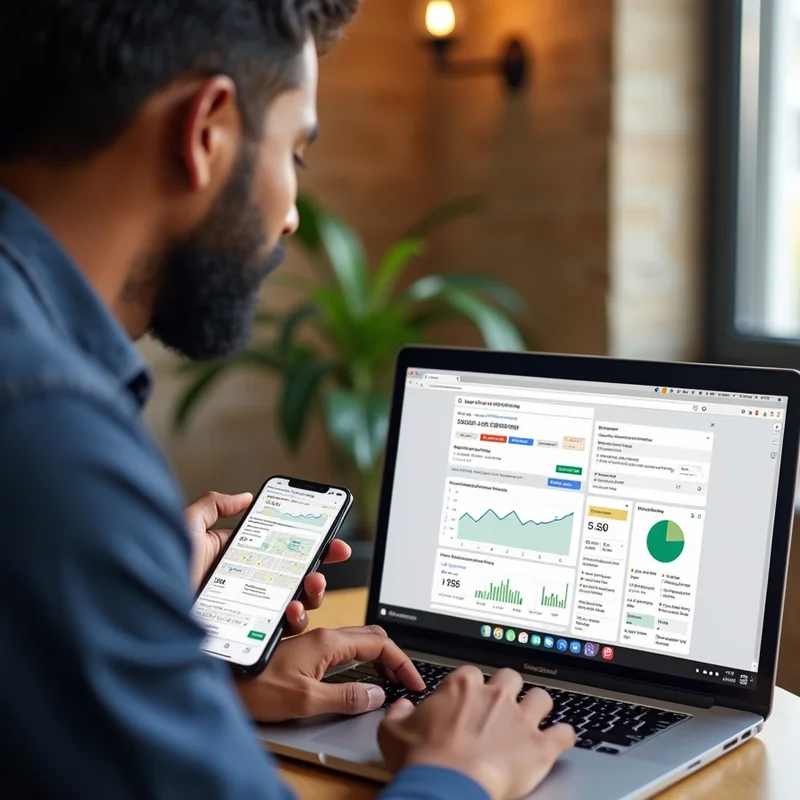
Google Business Profile Insights is a reporting tool that shows how customers interact with your listing on Google Search and Maps. Key metrics include
- How customers search for your business (direct, discovery, or branded searches)
- Actions taken (visits to website, calls, requests for directions)
- Customer engagement with posts and photos
- Where customers find your business
- Queries used to discover your business
These insights help you map the customer journey from discovery to conversion.
Why Tracking Customer Journeys Matters
1. Understand Search Behavior:
Insights reveal whether customers find your business through direct searches (by name), discovery searches (by category or service), or branded searches. This helps tailor marketing strategies.
2. Optimize Local SEO
By knowing which queries lead to customer actions, you can refine keywords, service descriptions, and content to improve local search rankings.
3. Measure Engagement
Tracking actions such as calls, website visits, or directions helps identify which touchpoints are most effective.
4. Improve Customer Experience
Understanding how customers navigate from search to visit allows you to remove friction, provide better service, and improve conversions.
5. Make Data-Driven Decisions
Insights inform promotional campaigns, service updates, and resource allocation, ensuring business decisions are backed by real data.
How to Track Customer Journeys Using Google Insights
1. Access Google Business Profile Insights
- Log in to your Google Business Profile account.
- Click on the “Insights” tab to view performance metrics.
2. Analyze Search Queries
- Identify keywords and phrases customers use to find your business.
- Categorize them into direct, discovery, or branded searches.
3. Track Customer Actions
- Monitor clicks to your website, requests for directions, and phone calls.
- Compare which actions are most common for different locations or services.
4. Examine Photo and Post Engagement
- Track views and interactions with photos, posts, and updates.
- Determine which content resonates most with your audience.
5. Understand Customer Locations
- Insights show where customers are searching from, helping target promotions and local campaigns.
6. Monitor Trends Over Time
- Look at week-over-week or month-over-month data to spot seasonal trends, growth patterns, or changes in customer behavior.
Platforms like LocalShouts (https://www.localshouts.com) guide Indian small businesses in interpreting these insights and turning data into actionable strategies.
Examples of Using Google Insights Effectively
Pune cafés: Tracking discovery searches for the café showed that most customers searched for “coffee near Wakad.”
They modified their posts and keywords to optimize for that phrase and observed increased foot traffic.
Delhi salons: They monitored the requests for directions and noticed most people frequented during the weekends.
They modified staff schedules and adjusted promotions to mimic those insights.
Home Services in Dwarka: They were tracking phone calls and noticed emergency plumbing requests were highest during the evening. They modified service hours and responded for emergencies in those contexts.
Common Mistakes to Avoid
- Ignoring Insights Data: Failing to track journeys means missed opportunities for optimization.
- Focusing Only on Website Clicks: Directions, calls, and messaging are equally important.
- Not Updating Listings: Inaccurate hours, contact info, or services reduce the accuracy of insights.
- Overlooking Local Trends: Insights vary by location; analyzing all branches separately is crucial for multi-location businesses.
Benefits of Tracking Customer Journeys
- Better Marketing Decisions: Know which queries, posts, or offers generate the most engagement.
- Increased Local Visibility: Optimize for search queries driving actual customer actions.
- Improved Customer Experience: Understand and streamline the path from search to conversion.
- Higher Engagement and Conversions: Focus resources on strategies that produce measurable results.
- Actionable Data: Insights provide a roadmap for growth and business optimization.
Conclusion
Using Google Business Profile Insights to track customer journeys is an effective way for small and micro businesses in India to improve their marketing. By analyzing search queries, customer actions, post engagement, and location data, businesses can optimize local SEO, improve services, and increase customer engagement.
LocalShouts (https://www.localshouts.com) will help businesses understand these insights, turning raw customer insight data into specific actionable strategies that get deep growth and improved customer satisfaction.
FAQs
1. What are the different search types in Google Insights?
Direct, discovery, and branded searches.
2. Can Insights show customer interaction with posts and photos?
Yes, it provides metrics on views and engagement, which applies to posts and photos.
3. How often should I check Google Insights?
As often as monthly, but no less frequently than every other week in order to identify trends and adjust activities accordingly.
4. Can Insights help for multi-location businesses?
Yes, Insights provides separate tracking for each location, so you can use the data to help evaluate local strategies.
5. Do insights include data from voice searches?
No, but the trends of discovery searches in Insights typically reflect voice behavior as well.
6. How will I use insights to improve my marketing?
Use the keyword data you will receive, the action tracking, and the location trends to build and optimize your posts and offer new services, promotions, and strategies for SEO.