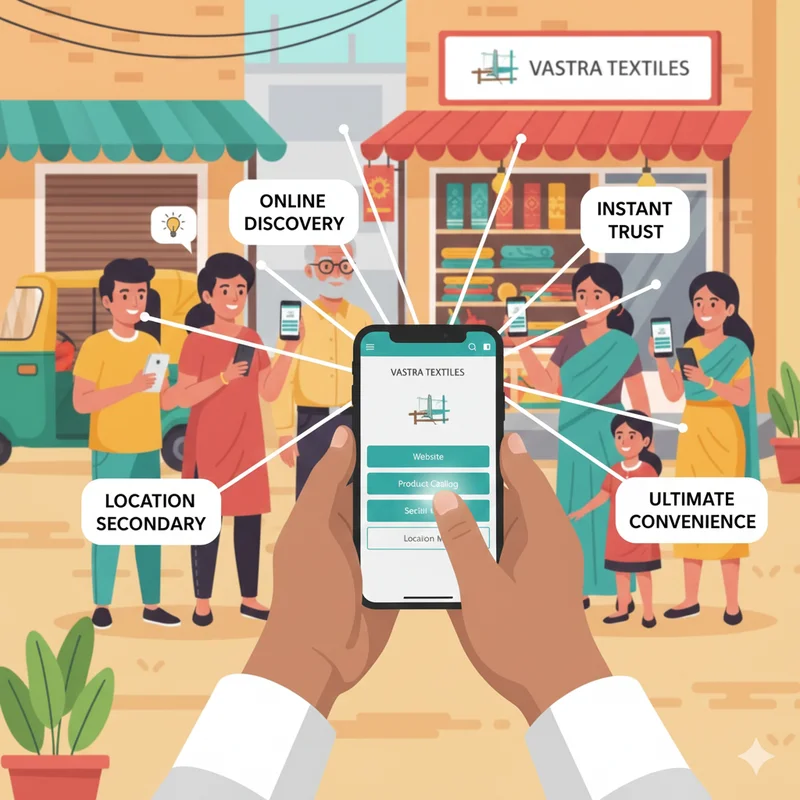
For small and micro businesses in India, Facebook remains one of the most powerful tools for reaching local customers. With over 300 million active users in India, Facebook is where your potential buyers already spend time—scrolling, liking, sharing, and discovering new products and services.
Having a Facebook page is no longer optional—it’s the online storefront that introduces your business to customers before they ever visit in person. But simply creating a page isn’t enough. The real question is, how do you use your Facebook page to actually drive sales?
In this guide, we’ll walk you through step-by-step strategies to set up and optimize your Facebook Page, engage with your audience, run promotions, and convert followers into paying customers. Paired with a local listing on LocalShouts (https://www.localshouts.com), this approach can supercharge your business growth.
Why Facebook Pages Matter for Small Businesses
A Facebook Page is more than just a social profile—it’s a mini-website, a communication tool, and a marketing platform rolled into one. Here’s why it’s so valuable:
- Free Online Presence: You don’t need to spend on a website to have a professional online identity.
- Local Discoverability: Customers search for nearby businesses on Facebook before visiting.
- Direct Engagement: Customers can message you instantly through Messenger.
- Promotion Hub: Run events, offers, and ads all from one place.
- Trust and Credibility: A well-maintained page with reviews builds confidence in new buyers.
When combined with LocalShouts (https://www.localshouts.com), your Facebook Page ensures that your shop is discoverable across multiple channels.
Step 1: Set Up and Optimize Your Facebook Page
If you don’t already have a Facebook Page, create one in minutes:
- Go to facebook.com/pages/create.
- Choose Business or Brand.
- Fill in your business name, category, and contact details.
- Add a profile photo (logo or shop image) and a cover photo (high-quality banner showcasing your products).
- Complete your About section with:
- Short description of what you sell.
- Business hours.
- Address with map location.
- Contact number, WhatsApp link, or LocalShouts profile link.
Your page should feel like a digital storefront—clear, professional, and inviting.
Step 2: Post Regular, High-Quality Content
Posting consistently keeps your business visible in customers’ feeds. Aim for 3–4 posts per week that mix education, entertainment, and promotion.
Content Ideas:
- Product photos with prices and availability.
- Short videos showing product demos or services.
- Customer testimonials or before-and-after transformations.
- Announcements about new arrivals or special offers.
- Helpful tips related to your industry (e.g., cleaning hacks for a home products shop).
The key is to make your posts engaging enough that customers stop scrolling and take notice.
Step 3: Use Facebook Stories
Stories are 24-hour posts that appear at the top of the Facebook app—perfect for quick promotions.
Story Ideas:
- Daily offers.
- Behind-the-scenes photos.
- Countdown to a sale or event.
- Customer shout-outs.
Stories are casual and highly engaging, making them ideal for staying top-of-mind.
Step 4: Engage With Your Audience
Engagement is what turns followers into loyal buyers.
Best Practices:
- Respond to comments quickly—even a “Thank you!” goes a long way.
- Reply to Messenger queries promptly, ideally within an hour.
- Ask questions in captions to encourage conversation.
- Use polls or quizzes to make followers feel involved.
The more you interact, the more Facebook will show your posts to people.
Step 5: Promote with Offers and Events
Facebook has built-in features to run special offers and events—great for driving sales.
- Create Offers: Discounts, buy-one-get-one deals, or seasonal promotions. Customers can save these offers and get reminders.
- Host Events: Launch events, clearance sales, and workshops—all can be promoted via Events.
These posts often get more reach because they are designed to attract customer action.
Step 6: Leverage Facebook Shop and Catalog
You can set up a Shop section on your Page to display products with prices, images, and descriptions.
Benefits:
- Customers can browse without leaving Facebook.
- Each product can be tagged in posts, making it easy for customers to purchase.
- Works well for small businesses selling physical products.
Keep your shop updated and remove items that are out of stock.
Step 7: Run Facebook Ads for Targeted Reach
Organic reach is great, but running small ad campaigns can boost sales quickly.
Ad Strategies for Small Businesses:
- Boost Posts: Promote best-performing posts to reach more local people.
- Click-to-WhatsApp Ads: Drive direct conversations with customers.
- Location Targeting: Show ads only to people in your city or neighborhood.
Even ₹200–₹500 per day can bring significant local traffic.
Step 8: Analyze Insights and Adjust
Facebook provides detailed Page Insights to show what’s working:
- Which posts get the most likes, comments, and shares?
- What times your audience is most active.
- Growth of your page likes and reach.
Use this data to post smarter and focus on what resonates most with your customers.
Step 9: Connect Facebook Page with Instagram
If you also use Instagram, link it with your Facebook Page. This allows you to:
- Post to both platforms simultaneously.
- Manage messages from one inbox.
- Run ads across both networks with one budget.
This maximizes your reach without doubling your work.
Step 10: Drive Offline Conversions
Don’t forget that the ultimate goal is footfall or direct orders.
Ways to Drive Offline Sales:
- Post your address and map location regularly.
- Announce “in-store only” deals to bring customers in.
- Encourage people to show a Facebook post to claim a discount.
This helps convert your online audience into paying walk-in customers.
Best Practices for Facebook Page Success
- Be Consistent: Post regularly to stay relevant.
- Use High-Quality Visuals: Blurry photos hurt credibility.
- Mix Content Types: Alternate between photos, videos, Reels, and Stories.
- Respond Quickly: Faster replies lead to higher customer satisfaction.
- Avoid Over-Promotion: Balance selling posts with value-adding content.
Conclusion
A well-optimized Facebook page can become your most effective sales channel. By posting consistently, engaging with followers, running offers, and using features like Facebook Shop, you can convert casual browsers into loyal customers.
Pair your Facebook efforts with a strong listing on LocalShouts (https://www.localshouts.com) so customers can easily find your address, hours, and contact details. This one-two punch—visibility plus engagement—is the perfect way to grow your sales in today’s digital world.
FAQs
1. Do I need to pay to use a Facebook Page for my business?
No, creating and using a Facebook Page is completely free. You only pay if you choose to run ads.
2. How often should I post on my Facebook page?
3–4 posts per week is ideal for small businesses. Add stories daily if possible.
3. Are Facebook ads expensive for small businesses?
No, you can start with as little as ₹200–₹300 per day and still see results if you target correctly.
4. What kind of posts work best for driving sales?
Posts with clear product images, pricing, customer reviews, and a call-to-action (like “Message us to order”) perform best.
5. Should I reply to every comment and message?
Yes, replying quickly builds trust and increases your chances of closing a sale.
6. Can I sell services (not just products) on Facebook Pages?
Absolutely! Salons, tutors, event planners, and other service providers can promote bookings, offers, and testimonials on Facebook.