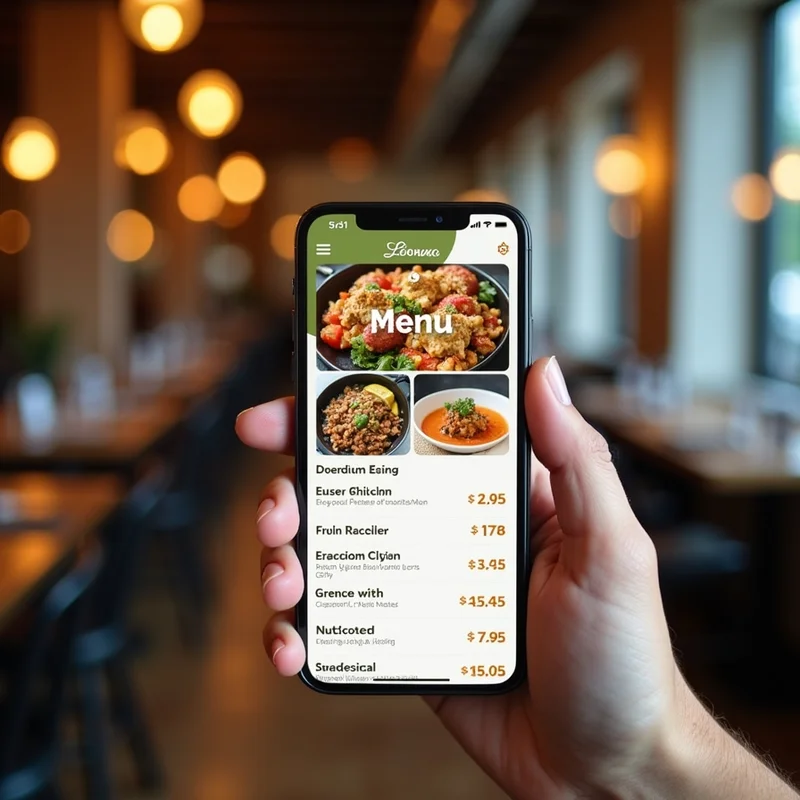
Introduction
For restaurants, visibility is everything. In today’s world, when someone searches for “best biryani near me” or “cafes open now,” the first impression they get is from your Google Business Profile (GBP). Your menu is a crucial part of that impression—it helps customers decide whether to visit, order online, or choose a competitor.
Unfortunately, many restaurants in India either don’t add their menus to Google or fail to keep them updated. This leads to lost customers and lower engagement.
In this guide, we’ll explore why optimizing your menu on Google matters, how to do it effectively, and strategies to keep it fresh, relevant, and appealing to hungry customers.
Why Your Google Menu Matters
1. First Impressions Count
When potential customers search on Google, they want to know what you serve before they visit. A clear, attractive menu can help convert searchers into paying customers.
2. Improves Local SEO
Google rewards businesses that provide complete information. Adding a detailed menu can improve your chances of ranking higher in local search and “near me” results.
3. Reduces Customer Friction
If users can view your dishes, prices, and specials directly on your profile, they don’t have to call or search elsewhere, making it easier for them to choose you.
4. Boosts Online Orders
For restaurants offering delivery or pickup, menu visibility directly impacts the number of orders placed through Google or third-party platforms.
Platforms like LocalShouts (https://www.localshouts.com) help small restaurants build a digital presence where menus are easy to find and update, driving more customers from search to table.
Steps to Add or Optimize Your Menu on Google
Step 1: Claim and Verify Your Google Business Profile
If you haven’t already, claim your profile on Google Business and verify it. Verification ensures you have full control over your restaurant’s information, including menu updates.
Step 2: Use the Menu Editor in Google Business Profile.
Once logged in:
- Go to the “Menu” tab in your GBP dashboard.
- Add menu sections (Starters, Main Course, Desserts, Drinks).
- Add individual items with names, descriptions, and prices.
Step 3: Add Photos of Dishes
High-quality images of your most popular dishes can make your menu more appealing. Bright, well-lit photos encourage customers to try your food.
Step 4: Use Accurate Prices
Outdated pricing creates frustration and mistrust. Make sure your Google menu matches your in-restaurant or online menu.
Step 5: Highlight Specialties
Use descriptive names and short, mouthwatering descriptions. For example, instead of just “Paneer Tikka,” write “Paneer Tikka—Cottage cheese marinated in Indian spices and roasted to perfection.”
Step 6: Update Regularly
Update your menu whenever you add seasonal dishes, change prices, or introduce promotions. Google rewards businesses with fresh, up-to-date information.
Best Practices for Restaurant Menu Optimization
1. Keep It Simple and Organized
Break your menu into sections for easy navigation. Group similar dishes (starters, mains, and desserts) so customers can quickly find what they want.
2. Use Keywords Naturally:
Include location-based and cuisine-specific keywords. For example: “South Indian Breakfast in Chennai” or “Authentic Punjabi Thali in Delhi.”
3. Add Allergen and Dietary Info
If possible, indicate vegetarian, vegan, or gluten-free options. This can help attract health-conscious customers and build trust.
4. Showcase Your Bestsellers
Put popular dishes at the top of each section. Use attractive names or tags like “Chef’s Special” or “Customer Favorite.”
5. Promote Specials and Combos
Regularly update your menu with festival offers, weekend brunch menus, or combo meals to create excitement.
6. Link to Online Ordering
If you use Zomato, Swiggy, or your own website, include direct links so customers can order instantly.
LocalShouts (https://www.localshouts.com) can help restaurants create an easy-to-edit digital menu that stays consistent across platforms, saving time and effort.
How Menu Optimization Improves Visibility
Google’s algorithm favors profiles with detailed and complete information. A well-optimized menu can:
- Increase the profile completeness score.
- Trigger more “menu” and “food item” related search appearances.
- Encourage clicks, calls, and direction requests.
- Improve ranking in “restaurants near me” and cuisine-specific searches.
For example, if you run a dosa restaurant in Bangalore and your menu lists “Mysore Masala Dosa,” users searching for that dish are more likely to find you.
Examples of Optimized Menus
Example 1: Cafe in Pune
- The menu includes categories like “Cold Coffee,” “Hot Beverages,” and “Sandwiches.”
- Each item has a description and price.
- Photos show real dishes served at the cafe.
- Weekly specials are updated every Monday.
Example 2: Fine-Dining Restaurant in Delhi
- Seasonal menu updates during festivals like Diwali or Christmas.
- Uses descriptive names like “Royal Mughlai Platter.”
- Adds vegetarian, vegan, and gluten-free tags for inclusivity.
Example 3: Cloud Kitchen in Hyderabad
- Links the menu to the direct order form.
- Optimizes the menu for delivery-friendly dishes.
- Adds attractive combo offers and updates them monthly.
Common Mistakes to Avoid
- Leaving Menu Empty: Missing menu information frustrates customers.
- Not Updating Prices: Creates confusion and leads to bad reviews.
- Poor Image Quality: Dark or blurry images can hurt your brand image.
- Too Much Text: Overly long descriptions can make the menu hard to scan.
Tools to Make Menu Updates Easier
- Canva: For creating professional-looking dish photos or promotional graphics.
- Google Business Dashboard: To edit menu items directly.
- LocalShouts (https://www.localshouts.com): To get help in designing, uploading, and maintaining a digital menu strategy for consistent engagement.
Conclusion
Your restaurant menu is not just a list of dishes—it’s one of the most powerful marketing tools on Google. When you keep it updated, well-structured, and visually appealing, you attract more customers, get more orders, and improve your Google search rankings.
For restaurants in India, optimizing your menu is a low-cost, high-impact way to stand out from competitors. Make sure to:
- Add complete and accurate menu items.
- Use appealing photos and clear descriptions.
- Update regularly to reflect your current offerings.
- Highlight bestsellers, combos, and seasonal dishes.
By taking these steps, you ensure that when customers search for their next meal, your restaurant is the one they choose.
FAQs
1. How do I add my restaurant’s menu to Google?
You can log in to your Google Business Profile dashboard, go to the “Menu” section, and add items manually, including names, prices, and descriptions.
2. Do I need professional photos for my menu?
Not necessarily, but clear, well-lit photos taken with a good smartphone can work just as well. Avoid blurry or heavily edited images.
3. How often should I update my menu on Google?
At least once every month, or whenever you change prices, add new dishes, or run special promotions.
4. Does an optimized menu improve local SEO?
Yes. A complete menu helps Google understand your offerings better, which can boost your chances of appearing in relevant search results.
5. Can I link my menu to Zomato or Swiggy?
Yes, you can add a link to your menu page on Zomato, Swiggy, or your website under the “Menu URL” option.
6. What should I do if my menu is managed by a third-party platform?
Make sure it stays updated across platforms. You can still add a basic menu and a link to your full menu on your Google profile.