Introduction
If you run a business that serves customers across several neighborhoods, cities, or regions, you might be missing out on a huge opportunity if your Google Business Profile (formerly Google My Business) only lists one location.
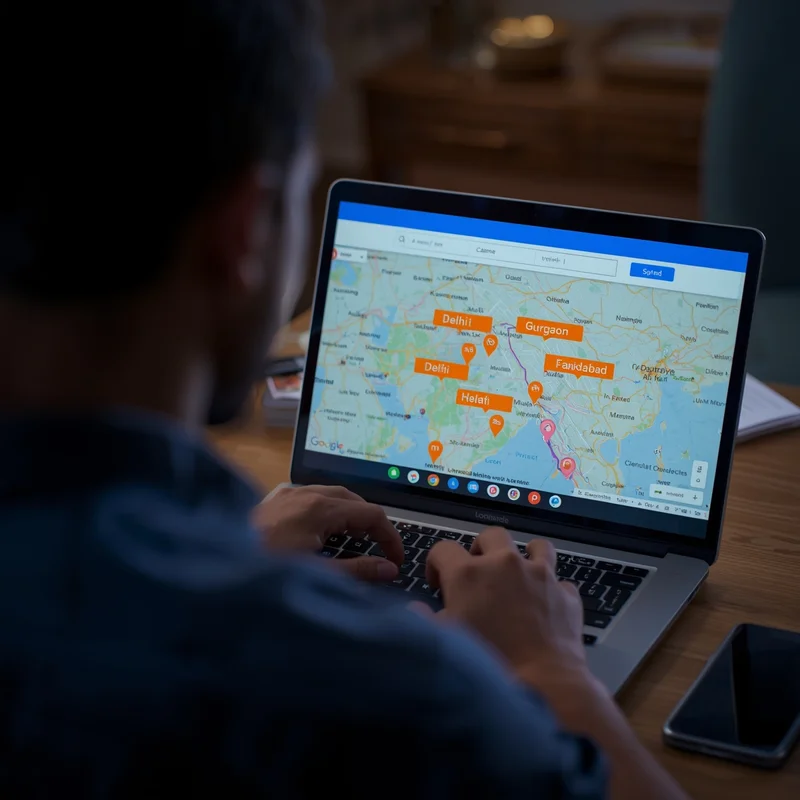
For example, a catering business in Gurgaon may serve not just Gurgaon but also Delhi, Noida, and Faridabad. If your profile doesn’t reflect this, customers searching in those areas may never find you.
The good news is Google allows you to add multiple service areas to your profile, helping you appear in local searches across all the regions you cover. In this guide, we’ll explain why this matters, the step-by-step process to set it up, and best practices to get the most visibility.
Platforms like LocalShouts (https://www.localshouts.com) can also strengthen your local presence by giving you consistent citations across multiple areas.
What Are Service Areas on Google Business Profile?
Service areas are the geographic locations where your business provides goods or services. They are especially useful for:
- Delivery-based businesses (restaurants, tiffin services)
- Home-service businesses (electricians, plumbers, tutors)
- Multi-city service providers (catering, event planners, consultants)
Instead of limiting your visibility to just one physical location, service areas tell Google where you are willing to go to serve customers.
Why Adding Multiple Service Areas Is Important
Reach More Local Customers
When you add multiple service areas, you increase your chances of showing up in search results for those locations.
Compete Beyond Your Immediate Area
If competitors are appearing in neighboring local searches, you can level the playing field by including those areas in your profile.
Save Time Explaining Coverage
Instead of answering calls asking, “Do you serve this area?” Customers can see your coverage directly on Google.
Improve Local SEO Signals
Service areas help Google understand your business better and show your profile to the right audience.
Step-by-Step Guide to Add Multiple Service Areas
Step 1: Sign in to Your Google Business Profile
Go to Google Business Profile Manager and sign in with your business account.
Step 2: Select Your Business
Choose the business profile you want to edit.
Step 3: Go to the Info Section.
On the left-hand menu, click Info.
Step 4: Click on “Service Areas.”
You’ll see an option to add or edit service areas.
Step 5: Add Locations
You can add:
- Cities (e.g., “Gurgaon,” “Delhi”)
- Postal codes (e.g., “122001,” “110001”)
- Specific neighborhoods (e.g., “Dwarka,” “Rohini”)
You can add up to 20 service areas per business profile.
Step 6: Save Changes
Click Apply. Changes may take a few minutes to reflect on your profile.
Best Practices for Choosing Service Areas
- Stay Relevant: Only add areas where you can realistically serve customers.
- Avoid Overstretching: Listing too many distant areas may hurt relevance and confuse customers.
- Prioritize High-Demand Areas: Focus on neighborhoods or cities where you have regular customers or want to grow.
- Combine With Local Content: If possible, create local landing pages on your website targeting these areas for stronger SEO impact.
Example for a Business
Imagine you own a home cleaning service based in Pune. You might add:
- Pune City
- Wakad
- Hinjewadi
- Banner
- Aundh
- Kothrud
- Pimpri-Chinchwad
This way, your profile appears when people in these neighborhoods search for “home cleaning near me.”
Common Mistakes to Avoid
- Using Very Large Areas: Don’t just add “India” or entire states. Google may reject your listing for being too broad.
- Listing Areas You Don’t Serve: This leads to unhappy customers and negative reviews.
- Leaving Physical Address Visible if Not Relevant: If you are a service-area business, you can hide your physical address so customers don’t expect walk-ins.
How to Edit or Remove Service Areas
If you move or change your coverage area:
- Go back to Service Areas in your Google Business Profile.
- Remove outdated areas.
- Add new ones.
- Click Apply to save changes.
Keeping this updated helps maintain trust with customers.
How LocalShouts Supports Multi-Area Visibility
Adding service areas on Google is powerful, but combining it with a LocalShouts (https://www.localshouts.com) listing multiplies your reach.
LocalShouts allows you to:
- Mention all your service areas in your profile.
- Get discovered by customers searching for services in those areas.
- Strengthen local SEO by providing consistent NAP (Name, Address, Phone) details.
When search engines see your business consistently listed across Google and trusted directories like LocalShouts, they rank you higher for those regions.
Advanced Tips for Multi-Area SEO
- Create Area-Specific Landing Pages: Example: “Home Cleaning in Baner,” “Home Cleaning in Aundh.” Link them from your Google profile.
- Use Local Keywords in Posts: Regularly post updates mentioning your service areas (e.g., “Now serving Hinjewadi and Wakad!”).
- Encourage Local Reviews: Ask customers from different areas to mention their neighborhood in their review for stronger local signals.
Case Study: A Catering Business in Delhi NCR
A catering business based in Dwarka added multiple service areas, including Rohini, Janakpuri, Noida, and Gurgaon.
Results after 3 months:
- 35% more calls from Google Maps
- New clients from Noida who never knew about them before
- Increased visibility for “party caterers near me” searches in multiple zones
This simple change expanded their reach and boosted sales without extra advertising spending.
Conclusion
Adding multiple service areas to your Google Business Profile is one of the easiest ways to expand your reach and attract new customers. It tells Google exactly where you operate and makes it easier for people in those areas to find and contact you.
Combine this with a listing on LocalShouts (https://www.localshouts.com), and you create a strong, consistent presence that search engines and customers trust.
If you serve more than one neighborhood or city, take 10 minutes today to update your service areas—it could be the easiest growth win for your business.
FAQs
How many service areas can I add to my Google Business Profile?
- You can add up to 20 service areas per profile.
Do I need a physical address to list service areas?
- No. Service-area businesses can hide their address and still appear in relevant searches.
How long does it take for changes to show up?
- Usually within a few minutes, but in some cases it may take up to 24 hours.
Can I add entire states or countries as service areas?
- No, Google requires specific cities, postal codes, or regions to keep results relevant.
Will adding more service areas guarantee a higher ranking?
- Not automatically. Ranking also depends on relevance, reviews, and other SEO factors.
Should I update service areas if I stop serving a location?
- Yes, always keep your profile accurate to avoid unhappy customers and negative reviews.