Introduction
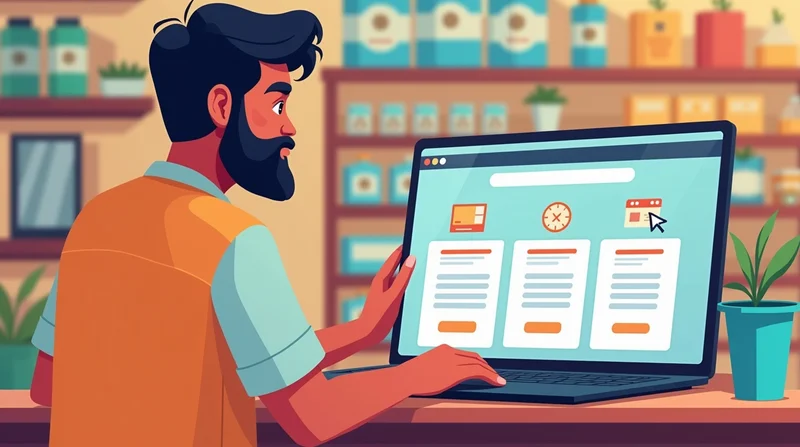
Picture entering a shop with dusty shelves, outdated products, and the same old posters hanging on the wall for years. Would you stick around? Probably not. The same goes for your website.
For small businesses across India a bakery in Delhi, a salon in Indore, or a grocery shop in Kochi your website is your digital storefront. If your website looks old, your business looks old. That's why constant updates to your website are essential.
Newer websites receive more visits and build trust and the customer experience, and better yet, better ranking in Google. And keeping your site updated does not have to be costly or needs the technical skill of a web developer. In this article, we will talk about topics such as the importance of regularly updating your website, what to update, and how LocalShouts can support micro-business keep their websites fresh without the burden of too much work.
Why Regular Website Updates Matter
1. Improves Google Ranking
Google favors websites that are active. When you add new content or make changes, search engines recognize your site as “alive” and relevant, giving you a better chance to appear in local searches.
2. Builds Customer Trust
A website last updated in 2019 signals that a business might be inactive. Fresh offers, updated menus, or new product photos show customers that you care about your business and them.
3. Showcases New Products and Services
Your shop changes, and so should your website. Whether it’s a new seasonal menu, a special Diwali discount, or new services, updates let customers know what’s new.
4. Improves Security
Outdated plugins, themes, or features can be security risks. Updating regularly keeps hackers away and protects customer data.
5. Boosts User Experience
Broken links, old phone numbers, or outdated designs frustrate visitors. Regular updates ensure smooth navigation and accurate information.
What You Should Update Regularly
1. Content Updates
- Add blog posts or news articles.
- Update product descriptions and prices.
- Refresh service lists (e.g., new facial treatments at a salon).
2. Visuals & Photos
- Upload new photos of your shop, team, or latest work.
- Replace stock photos with real images for authenticity.
3. Special Offers & Events
- Highlight festival discounts, new arrivals, or workshops.
- Remove expired offers quickly to avoid confusion.
4. Contact Information
- Keep phone numbers, WhatsApp links, and addresses up to date.
- Update opening hours during festivals or holidays.
5. Technical Updates
- Update plugins, themes, and CMS (like WordPress).
- Ensure SSL certificates are active.
6. Customer Reviews & Testimonials
- Showcase new customer feedback.
- Highlight recent success stories or client experiences.
How Often Should You Update Your Website?
- Weekly: Post new photos, blog updates, or offers.
- Monthly: Check and update product/service details.
- Quarterly: Refresh homepage visuals and banners.
- Yearly: Redesign layout if it looks outdated.
Remember, updates don’t have to be big. Even small changes show that your business is active.
Simple Ways for Small Business Owners to Keep Websites Fresh
- Maintain a Blog Section Write about seasonal trends, customer stories, or behind-the-scenes updates. Example: A bakery could post recipes or festive cake ideas.
- Use Social Media Integration Connect your website with Facebook or Instagram so that new posts automatically refresh your site.
- Highlight Seasonal Campaigns
- Festivals like Diwali, Holi, or Eid are perfect times to refresh banners and offers.
- Regular Photo Updates
- Click photos with your phone and upload—no need for professional photographers every time.
- Ask for Customer Input
- Encourage customers to leave reviews, which you can showcase on your website.
How LocalShouts Helps Keep Your Website Fresh
Many small business owners struggle with updating their websites due to lack of time or technical know-how. That’s where LocalShouts comes in.
With LocalShouts, you get:
- Easy-to-manage websites where you can update photos and offer yourself.
- Pre-built templates for seasonal promotions and discounts.
- Automatic updates for plugins, themes, and security features.
- Affordable plans designed for microbusinesses in India.
This means your website will never look outdated—even if you don’t have a tech team.
Conclusion
A new and improved website is similar to a tidy, inviting shop. It can attract new customers, encourage repeat customers, and help differentiate you from the competition. Regular simple small steps are all that is needed to dramatically improve, which include updating photos, changing the offer, and ensuring security is current.
Platforms like LocalShouts can help microbusiness owners update their websites quickly, without the worry of having technical skills or high costs.
If your website is lacking freshness, now is the time to give it a refresh! The customers and Google will appreciate it!
FAQs
1. How often should I update my small business website?
I recommend that you update your website at least monthly, weekly updates (with photos, special offers) is even better!
2. Do I need technical skills to update my website?
Not necessarily. Many companies (such as LocalShouts) provide easy to use platforms for non-technical customers.
3. What happens if I do not update my website?
You may lose your prospective customer’s trust, decrease your reach and possibly impact your rank on Google. Not to mention security breaches could occur.
4. Can I integrate my website with social media to accomplish frequent updates?
Yes! LocalShouts and other platforms (like Facebook) provide the option for integration and will automatically refresh your business either suite or updates.
5. Will I benefit from searching on Pager (SEO) by updating my website frequently?
Yes! The more frequently you update your site, the higher you will rank in any search.
6. How much time do updates take?
In as little as 30 minutes per week, you can keep your site looking active and trustworthy.