Introduction
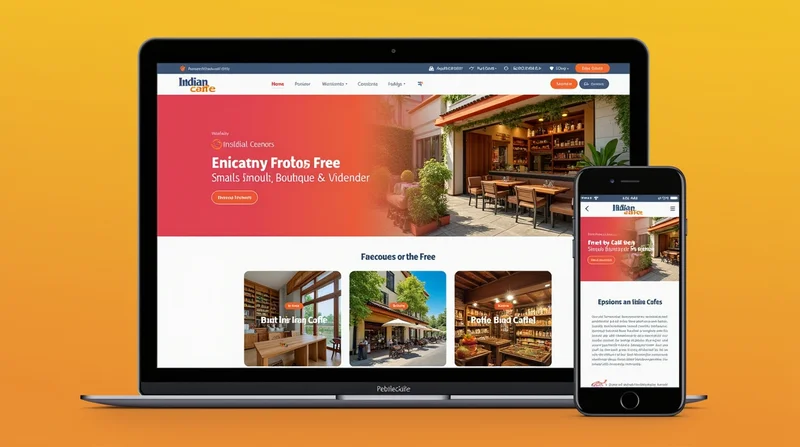
Having a professionally looking website doesn't equate to a big budget for your marketing efforts. There are platforms like LocalShouts (https://www.localshouts.com) that are made for microbusinesses in India. LocalShouts assists local shops, service providers and entrepreneurs in displaying their products and services to London customers using clean layouts with plenty of space to upload images.
LocalShouts gets that a small bakery, salon or tuition center cannot spend lakhs on merchant photography and website design, so they have easy to use tools and templates to help your own images look professional online.
Why Photos Are So Important for Small Business Websites
- Instant Connection: Photos help visitors understand what you do without reading lengthy text.
- Builds Trust: Real images of your shop, products, and staff feel more genuine than stock photos.
- Increases Sales: Customers are more likely to purchase when they see clear visuals of what you offer.
- Supports Branding: Consistent photo style and colors strengthen your identity.
- Improves SEO: Optimized images with proper tags can help your business appear in Google Images and local search results.
Types of Photos Every Small Business Website Should Have
Shop Front and Location Photos A clear picture of your storefront helps customers recognize your business when they visit in person. It also adds credibility.
Product or Service Photos
- For a bakery: showcase cakes, breads, and sweets.
- For a salon: before-and-after transformations.
- For a kirana store: neat product shelves and fresh vegetables.
Team and Staff Photos Putting faces behind your business builds trust. Customers love to know who they are dealing with.
Customer Experience Photos
Photos of happy customers (with their permission) enjoying your service or product work as natural testimonials.
Process Photos
Show how you prepare food, repair gadgets, or pack orders. This gives customers confidence in your quality.
Tips for Taking Great Photos Without a Big Budget
- Use Natural Light: Morning or evening light gives your photos a warm, natural look.
- Clean Backgrounds: A clutter-free background keeps focus on your product.
- Smartphone Cameras Work: Most modern phones can take professional-quality pictures with good lighting.
- Try Different Angles: Flat lays, close-ups, and wide shots all add variety.
- Consistency Matters: Stick to similar colors, tones, or filters so your website looks uniform.
How to Place Photos on Your Website for Maximum Impact
- Homepage Banner Use a powerful hero image—like your shop exterior, your best-selling product, or a smiling customer.
- About Us Page Include photos of your team, your shop, and perhaps a throwback picture showing how you started.
- Product or Services Page Each service/product should have at least one clear photo. More is better if you want to convince buyers.
- Testimonials or Reviews Section Pair customer reviews with their photos (if they agree). This doubles the trust factor.
- Contact Page A picture of your shop front or Google Maps screenshot helps customers find you easily.
Common Mistakes to Avoid When Using Photos
- Using Only Stock Photos: They look fake and make customers doubt your authenticity.
- Low-Resolution Images: Blurry pictures hurt your brand’s credibility.
- Overloading with Too Many Images: Keep it balanced. Too many photos slow down your site.
- Not Optimizing for Mobile: Ensure images resize properly on smartphones.
- Ignoring File Names and Alt Text: Use descriptive names like “best-bakery-cakes-delhi.jpg” instead of “IMG_001.jpg.”
How LocalShouts Helps Businesses with Better Websites
Having a professionally looking website doesn't equate to a big budget for your marketing efforts. There are platforms like LocalShouts (https://www.localshouts.com) that are made for microbusinesses in India. LocalShouts assists local shops, service providers and entrepreneurs in displaying their products and services to London customers using clean layouts with plenty of space to upload images.
LocalShouts gets that a small bakery, salon or tuition center cannot spend lakhs on merchant photography and website design, so they have easy to use tools and templates to help your own images look professional online.
Conclusion
Your website is an online address, but more specifically, it's your digital shop window. Original, high-quality photos make your website visually appealing, build trust and credibility, spur sales, and set you apart from larger companies.
By utilizing natural light, finding appropriate locations for your shots, and positioning your images strategically on your website, you can ensure that you make a positive and lasting impression on every one of your site visitors. As an example, by using services and tools offered by LocalShouts (https://www.localshouts.com), even the smallest business in India can have a professional website, with a personal touch, in truly connecting with their customer.
FAQs
- Should I hire a professional photographer for my small business website? You don't have to hire a professional photographer. If you have a good smartphone and proper lighting, you can take quality photographs yourself.
- How many photos should I have on my website? Use enough images to represent your business. Typically, 10-20 high-quality images are sufficient for small business websites.
- Can I use stock photos on my website? You can use stock photos, though it is best to use real photos of your store, products, and staff to provide authenticity.
- How will photos affect the speed of my website? Large, poorly optimized photos can present issues and slow down your site. Ensure your images are compressed prior to uploading.
- Should I watermark my photos? If you are concerned about unauthorized usage of your images, you can use an unobtrusive watermark, but you should not let it detract from the aesthetics of the image itself.
- Where should I put the most important photos? The most important photographs should be placed on your homepage banner and where your customers first see your product and service pages.