Introduction
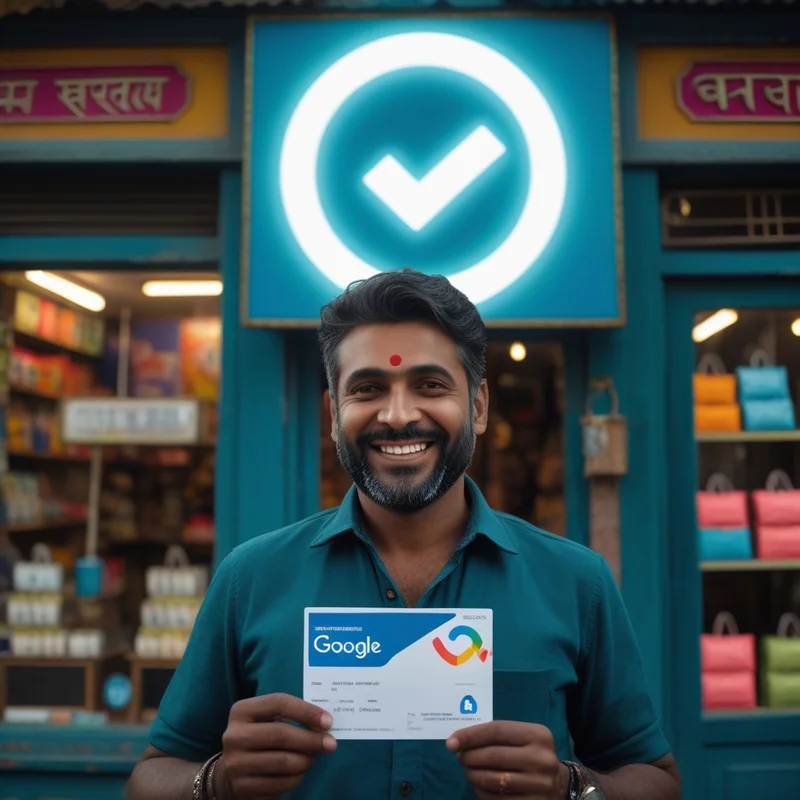
For small and micro businesses in India, creating a strong brand presence online is crucial. One of the simplest yet most effective ways to establish brand identity is by uploading a logo to your Google Business Profile.
Platforms like LocalShouts (https://www.localshouts.com) emphasize that a logo is not just a visual element—it builds recognition, trust, and professional credibility. A consistent logo across search results, Maps, and Google listings helps customers immediately identify your business and differentiate it from competitors.
Why Logos Matter for Businesses on Google
1. Enhance Brand Recognition
A logo helps customers instantly identify your business among multiple search results. Consistent use of your logo across Google Search, Maps, and social media reinforces brand recall.
2. Build Professional Credibility
Listings with logos appear more professional and trustworthy. Customers are more likely to engage with businesses that have a polished, complete profile.
3. Improve Visibility in Search Results
Google may display logos alongside your business name in search results, Maps, and knowledge panels, making your listing stand out visually and attract more clicks.
4. Support Branding Across Platforms
Uploading a logo ensures consistency across Google My Business, websites, social media, and other directories. This unified identity strengthens brand perception.
5. Complement Other Visual Assets
Logos work alongside photos, cover images, and posts to create a cohesive and attractive business profile that encourages engagement.
How to Upload Your Logo on Google Business Profile
1. Prepare a High-Quality Logo
- Use a clear, professional logo image (recommended size: 720x720 pixels).
- Avoid pixelation, low resolution, or overly complex designs.
2. Access Google Business Profile
- Log in to your account.
- Navigate to the “Photos” tab.
3. Select the “Logo” Category
- Upload your prepared logo under the dedicated “Logo” section.
- Ensure it is clearly visible and represents your brand accurately.
4. Verify Display on Profile
- Check how the logo appears on Search and Maps.
- Adjust or re-upload if necessary to ensure clarity and visibility.
Platforms like LocalShouts (https://www.localshouts.com) provide guidance to help Indian small businesses optimize visual branding, including logo placement, for maximum impact.
Best Practices for Using Logos
- Consistency: Use the same logo across all online platforms and promotional materials.
- Clarity: Make your logo simple, recognizable, and readable even at smaller sizes.
- Brand Colors: Stay within your brand color palette to better establish brand identity.
- Professional Design: Don't use amateur designs; a well-designed logo adds credibility.
- Update When You Need To: If your brand evolves, you can refresh the logo, but make sure it is still recognizable.
Examples of Businesses Benefiting from Logos on Google
- Cafés in Pune: A café uploaded a clear logo alongside its photos and menu images, improving brand recall and increasing foot traffic.
- Salons in Delhi: A salon added its logo to the profile, which appeared in Google Maps, creating a professional and trustworthy impression.
- Retail Shops in Dwarka: Retail businesses with logos stood out in local search results, attracting more clicks and customer inquiries.
These examples highlight how a logo strengthens branding and visibility, even for small-town businesses.
Common Mistakes to Avoid
- Not Uploading a Logo: Missing logos reduce credibility and brand recognition.
- Low-Quality Images: Blurry or pixelated logos appear unprofessional.
- Complex Designs: Overly detailed logos may not be visible in smaller search result formats.
- Inconsistency: Using different logos across platforms can confuse customers.
- Neglecting Updates: Outdated logos reduce brand relevance.
Benefits of Uploading a Logo
- Stronger Brand Recognition: Customers instantly identify your business.
- Enhanced Professionalism: Listings with logos appear credible and trustworthy.
- Increased Engagement: Stand out visually in search results and Maps.
- Consistency Across Platforms: A logo reinforces brand identity everywhere it appears.
- Support for Marketing Efforts: Logos complement other visual and promotional content.
Conclusion
If you're an Indian small or micro business, uploading a logo to your Google Business Profile is an easy yet effective way to develop brand recognition, trust, and visibility. An appealing logo can enhance the look and feel of your listing, increase clicks, and help customers feel comfortable purchasing from you.
LocalShouts (https://www.localshouts.com) provides advice to assist businesses in establishing their visual branding and ensuring that their logo is impactful on all Google platforms, searches, Maps, and beyond.
FAQs
1. Does Google require a logo for my business profile?
No, but having one significantly improves brand recognition and professionalism.
2. What size should my logo be?
Recommended dimensions are 720x720 pixels for clarity across devices.
3. Can I update my logo later?
Yes, you can re-upload an updated logo anytime while maintaining brand consistency.
4. Will my logo appear in Google Maps?
Yes, it may appear alongside your business name, enhancing visibility and trust.
5. Should my logo match my website or social media?
Yes, consistency across platforms strengthens brand identity.
6. Can I upload multiple logos?
Google allows one main logo, but you can supplement with additional images to support your brand.