Introduction
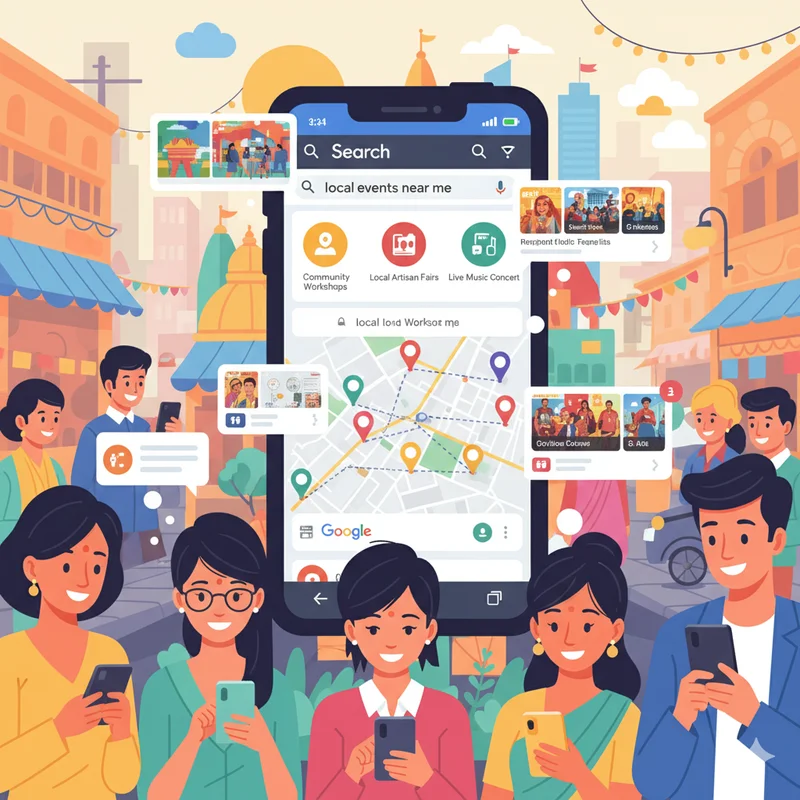
If you have ever typed "events near me" into Google, you have probably seen a nice list of upcoming events with (hopefully) dates, locations, and links near the top of the page. This is Google Events in action.
For small businesses, local event organizers, and community leaders throughout India, Google Events is a terrific opportunity. It allows people to discover your event through Google Search and Google Maps without having to pay for expensive advertising. Whether it be an arts fair, workshop, music event, or charity, the proper listing of your event on Google can help attract more people, build trustworthiness, and increase visibility.
In this guide, we will break down how you can optimize using Google Events to drive attendance — and using a community site, such as LocalShouts (https://www.localshouts.com), can make event promotion that much easier.
What Are Google Events?
Google Events is a feature that automatically displays event listings when people search for things like “events near me,” “upcoming concerts in Delhi,” or “local workshops.” These results appear right inside Google Search or Maps, showing details such as:
- Event name
- Date and time
- Venue or location
- Ticket information
- Organizer name
- Link to the event website or registration page
The goal is to make event discovery simple and immediate — helping users attend local events while giving organizers free, organic visibility.
Why Google Events is Important for Local Organizers
There are many benefits for community organizers and small businesses who use Google Events:
- More Visibility: Your event is placed in front of those actively searching for things to do locally.
- More Attendees: Once potential visitors see verified information in Google, they tend to attend.
- Free Marketing: Listing your event will not cost money, as long as you complete the setup process in the right way (paid ads would cost money).
- More Credibility: Your event looks legitimate and trustworthy in Google Search results.
- More Accessible: In a world where most are using mobile devices, the event listing is easily discovered by users of both the Google Maps and Google Search apps.
Also, when combined with your event listing on LocalShouts (https://www.localshouts.com), it provides both local and digital notoriety, helping you engage nearby audience as well as audiences finding your event online.
How Google Finds and Displays Events
Google doesn’t create event listings manually. Instead, it gathers information from:
- Verified event listing websites like LocalShouts
- Your own website, if it includes structured event data
- Platforms such as Facebook Events, Eventbrite, or BookMyShow
This means your event needs to exist online in a format Google recognizes. Once Google identifies your event information, it automatically displays it under the “Events” section in local search results.
That’s why publishing your event on LocalShouts can make a big difference — the platform is structured for local SEO and helps Google detect your event more efficiently.
Steps to Get Your Event on Google Events
Here’s a detailed step-by-step guide to make sure your event appears on Google and reaches more attendees:
1. Set up a Google Business Profile
If you still haven’t created or claimed your Google Business Profile (formerly called Google My Business), do so by accessing Google Business Profile Manager.
- Provide your business name, category and location.
- Verify your account.
This profile makes sure that your business or organization will show in local search results and on Google Maps and can link directly to your events.
2. Utilize a Trusted Event Platform
Google prefers to see structured event data only when it comes from a reputable source. Platforms like Localshouts (https://www.localshouts.com) make it simple to publish local events with all the information needed, including the title of the event, description, pictures, dates and times, venue, and links to register.
When your event is published on Localshouts, Google will be able to see it more directly, and chances are you will appear in local search results.
3. Insert Structured Event Data on Your Site
If you have a website organize schema markup - little pieces of code that tell Google about the event.
Here's what you want to use:
- Event Name
- Start and End Date of Event
- Location (with link to map)
- Tickets/registration link URL
- Description
- Organizer's info
Schema markup can be generated in Google's Structured Data Markup Helper and can be tested in their Rich Results Test Tool later.
4. Keep Event Details Identical on all Platforms
Make sure the event name and date and venue are identical on all:
- Your LocalShouts listing
- Your site
- Google Business Profile
- Social media event pages
Being consistent helps Google trust your listing and display with confidence!
5. Add a Location with Google Maps Integration
Always include a verified address or venue that appears on Google Maps. This helps attendees find directions easily and increases the event’s legitimacy.
If your venue isn’t on Google Maps yet, you can add it by suggesting a new location through your Google Business Profile dashboard.
6. Use Eye-Catching Event Titles and Descriptions
Make your event stand out by writing clear and engaging titles such as:
- “Cultural Food Festival in Noida – Taste Local Traditions”
- “Yoga Workshop for Beginners in Pune”
- “Women Entrepreneurs’ Networking Meetup in Chennai”
Include keywords people might search for, like “local fair,” “workshop,” or “community festival.” Keep descriptions short, informative, and appealing.
7. Link to a Trusted Registration Page
Google prefers events that provide clear next steps. Include links to:
- Your LocalShouts event page
- Online ticketing platforms (if applicable)
- Registration forms or RSVP pages
A proper link not only boosts credibility but also makes it easier for users to take action immediately.
8. Encourage Reviews and Social Shares
Ask attendees to leave reviews or share event experiences online. Google algorithms value engagement and may give preference to popular or frequently visited event pages.
You can also embed your LocalShouts link in social media posts, WhatsApp groups, or emails to increase traffic — helping your event appear more prominently in Google’s event listings.
How LocalShouts Enhances Google Event Promotion
While Google Events brings visibility, LocalShouts (https://www.localshouts.com) gives your event a local identity and organic reach. Here’s how both work together:
- Local Reach + SEO Power: LocalShouts focuses on community-based events in India, ensuring your listing is optimized for search engines and local keywords.
- Google Compatibility: Events listed on LocalShouts are structured in a way that’s easily detectable by Google’s event crawler.
- Trusted Source: Google often prioritizes event data from verified community directories like LocalShouts.
- Sharing Made Easy: You can share your event listing link on social media or embed it on websites to generate more clicks and engagement.
Together, Google Events and LocalShouts help local organizers bridge the gap between digital discovery and real-world participation.
Tips to Maximize Attendance Using Google Events
To get the best results from your Google listing, apply these practical tips:
- Add images: Photos of your venue, past events, or performers attract more attention.
- Use keywords naturally: Terms like “local event,” “workshop in [City Name],” or “community festival” improve your ranking.
- Post reminders: Share updates and “last call” messages on your LocalShouts page and social media.
- Track engagement: Use Google Analytics or event insights to see how many users clicked through to your registration page.
- Encourage RSVPs early: The more people engage, the more Google recognizes your event as relevant.
Common Mistakes to Avoid
- Incomplete details: Missing information like time or location can prevent your event from appearing in Google results.
- Inconsistent listings: Conflicting information between LocalShouts, Facebook, and Google can confuse the algorithm.
- Late posting: Post at least 3–4 weeks before the event to give Google time to index it.
- Ignoring follow-up: After the event, update your listing to thank attendees or announce the next edition — it shows continuity and professionalism.
Conclusion
In today’s digital-first world, visibility equals attendance. Google Events has become an essential tool for community organizers, small business owners, and cultural promoters to connect with audiences in their local area. By ensuring your event information is well-structured, consistent, and discoverable, you can turn simple listings into packed venues.
And when you combine Google Events with the power of LocalShouts (https://www.localshouts.com), you create a complete ecosystem — one that reaches people online and on the ground. So, for your next local workshop, festival, or trade fair, make sure your event is discoverable on both Google and LocalShouts. It’s one of the easiest and most effective ways to grow attendance organically.
FAQs
1. What is Google Events, and how does it work?
Google Events displays event listings directly in Google Search and Maps when people search for local activities. It collects data from verified sources like LocalShouts or your website’s structured event data.
2. Do I need to pay to list my event on Google?
No, Google Events is free. You just need to publish your event through recognized platforms or include an event schema on your website.
3. How can LocalShouts help with Google Events visibility?
LocalShouts structures your event information in a Google-friendly way, improving the chances of it appearing in “Events near me” searches.
4. How long does it take for my event to show on Google?
It usually takes a few days for Google to index new events, depending on your platform and search traffic.
5. What details should I include for a Google event listing?
Always include event name, date, time, location, description, image, and a registration or ticket link.
6. Can Google Events help small-town organizers?
Absolutely. Small towns benefit the most since Google helps local audiences discover nearby happenings they might not see in newspapers or posters.


